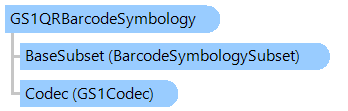
GS1QRBarcodeSymbology Class
In This Topic
Defines the GS1 QR barcode symbology - subset of QR barcode symbology with values in GS1 System data format.
Object Model
Syntax
'Declaration

Public Class GS1QRBarcodeSymbology
   Inherits GS1BarcodeSymbologySubset
public class GS1QRBarcodeSymbology : GS1BarcodeSymbologySubset
public __gc class GS1QRBarcodeSymbology : public GS1BarcodeSymbologySubset*
public ref class GS1QRBarcodeSymbology : public GS1BarcodeSymbologySubset^
Example
This C#/VB.NET code shows how to generate GS1 QR barcode and read generated barcode.
Imports System.Text

Imports Vintasoft.Barcode
Imports Vintasoft.Barcode.BarcodeInfo
Imports Vintasoft.Barcode.SymbologySubsets
Imports Vintasoft.Barcode.GS1
Imports Vintasoft.Imaging

''' <summary>
''' Test that shows how to encode the barcode data in GS1 format,
''' create image with GS1 QR barcode,
''' read GS1 QR barcode from image and print data stored in GS1 format.
''' </summary>
Class GS1QRExample

    ''' <summary>
    ''' Runs the test.
    ''' </summary>
    Public Shared Sub TestGS1QR()
        ' form the GS1 Application identifiers
        '
        Dim aiValues As GS1ApplicationIdentifierValue() = New GS1ApplicationIdentifierValue(3) {}
        Dim ai As GS1ApplicationIdentifier
        ' 01 - Global Trade Item Number
        ai = GS1ApplicationIdentifiers.FindApplicationIdentifier("01")
        aiValues(0) = New GS1ApplicationIdentifierValue(ai, "0123456789123C")
        ' 310 - Net weight, kilograms
        ai = GS1ApplicationIdentifiers.FindApplicationIdentifier("310")
        aiValues(1) = New GS1ApplicationIdentifierValue(ai, "0012.55")
        ' 30 - Count of Items
        ai = GS1ApplicationIdentifiers.FindApplicationIdentifier("30")
        aiValues(2) = New GS1ApplicationIdentifierValue(ai, "10")
        ' 90 - Company Internal Information
        ai = GS1ApplicationIdentifiers.FindApplicationIdentifier("90")
        aiValues(3) = New GS1ApplicationIdentifierValue(ai, "ABCabc12345")
        ' create GS1 value item
        Dim gs1Value As New GS1ValueItem(aiValues)

        ' create the barcode writer
        Using writer As New BarcodeWriter()
            ' specify that writer must create output image as 24-bpp image
            writer.Settings.PixelFormat = BarcodeImagePixelFormat.Bgr24

            ' encode GS1 QR barcode
            BarcodeSymbologySubsets.GS1QR.Encode(gs1Value, writer.Settings)

            ' create image with barcode
            Using barcodeImage As VintasoftBitmap = writer.GetBarcodeAsVintasoftBitmap()
                ' delete aiValues array
                aiValues = Nothing

                ' read barcode with GS1 value

                ' create barcode reader
                Using reader As New BarcodeReader()
                    ' specify that reader must search for GS1 QR barcodes only

                    reader.Settings.ScanBarcodeTypes = BarcodeType.None
                    reader.Settings.ScanBarcodeSubsets.Add(BarcodeSymbologySubsets.GS1QR)

                    ' read barcode from image
                    Dim infos As IBarcodeInfo() = reader.ReadBarcodes(barcodeImage)

                    ' print reader transmitted value
                    Console.WriteLine("Transmitted data: {0}", DirectCast(infos(0), GS1BarcodeInfo).TransmittedData)
                    Console.WriteLine()

                    ' gets GS1 value from barcode value
                    gs1Value = DirectCast(infos(0).ValueItems(0), GS1ValueItem)

                    ' gets a GS1 Application identifiers from barcode value
                    aiValues = gs1Value.ApplicationIdentifierValues

                    Dim printableValue As New StringBuilder()
                    ' print Application identifiers values
                    For i As Integer = 0 To aiValues.Length - 1
                        Dim aiValue As GS1ApplicationIdentifierValue = aiValues(i)
                        ai = aiValue.ApplicationIdentifier
                        Console.WriteLine(String.Format("[{0}] {1}", i + 1, aiValue))
                        Console.WriteLine(String.Format("Application identifier   : {0}", ai.ApplicationIdentifier))
                        Console.WriteLine(String.Format("Value                    : {0}", aiValue.Value))
                        Console.WriteLine(String.Format("Data title               : {0}", ai.DataTitle))
                        Console.WriteLine(String.Format("Data content             : {0}", ai.DataContent))
                        Console.WriteLine(String.Format("Format                   : {0}", ai.Format))
                        Console.WriteLine(String.Format("Is contains decimal point: {0}", ai.IsContainsDecimalPoint))
                        Console.WriteLine(String.Format("Is variable length       : {0}", ai.IsVariableLength))
                        Console.WriteLine()
                        printableValue.Append(aiValue.ToString())
                    Next

                    ' print GS1 printable value
                    Console.WriteLine("Printable GS1 value: " & printableValue.ToString())
                End Using
            End Using
        End Using
    End Sub
End Class
using System;
using System.Text;

using Vintasoft.Barcode;
using Vintasoft.Barcode.BarcodeInfo;
using Vintasoft.Barcode.SymbologySubsets;
using Vintasoft.Barcode.GS1;
using Vintasoft.Imaging;

/// <summary>
/// Test that shows how to encode the barcode data in GS1 format,
/// create image with GS1 QR barcode,
/// read GS1 QR barcode from image and print data stored in GS1 format.
/// </summary>
class GS1QRExample
{

    /// <summary>
    /// Runs the test.
    /// </summary>
    public static void TestGS1QR()
    {
        // form the GS1 Application identifiers
        //
        GS1ApplicationIdentifierValue[] aiValues = new GS1ApplicationIdentifierValue[4];
        GS1ApplicationIdentifier ai;
        // 01 - Global Trade Item Number
        ai = GS1ApplicationIdentifiers.FindApplicationIdentifier("01");
        aiValues[0] = new GS1ApplicationIdentifierValue(ai, "0123456789123C");
        // 310 - Net weight, kilograms
        ai = GS1ApplicationIdentifiers.FindApplicationIdentifier("310");
        aiValues[1] = new GS1ApplicationIdentifierValue(ai, "0012.55");
        // 30 - Count of Items
        ai = GS1ApplicationIdentifiers.FindApplicationIdentifier("30");
        aiValues[2] = new GS1ApplicationIdentifierValue(ai, "10");
        // 90 - Company Internal Information
        ai = GS1ApplicationIdentifiers.FindApplicationIdentifier("90");
        aiValues[3] = new GS1ApplicationIdentifierValue(ai, "ABCabc12345");
        // create GS1 value item
        GS1ValueItem gs1Value = new GS1ValueItem(aiValues);

        // create the barcode writer
        using (BarcodeWriter writer = new BarcodeWriter())
        {
            // specify that writer must create output image as 24-bpp image
            writer.Settings.PixelFormat = BarcodeImagePixelFormat.Bgr24;

            // encode GS1 QR barcode
            BarcodeSymbologySubsets.GS1QR.Encode(gs1Value, writer.Settings);

            // create image with barcode
            using (VintasoftBitmap barcodeImage = writer.GetBarcodeAsVintasoftBitmap())
            {
                // delete aiValues array
                aiValues = null;

                // read barcode with GS1 value

                // create barcode reader
                using (BarcodeReader reader = new BarcodeReader())
                {
                    // specify that reader must search for GS1 QR barcodes only

                    reader.Settings.ScanBarcodeTypes = BarcodeType.None;
                    reader.Settings.ScanBarcodeSubsets.Add(BarcodeSymbologySubsets.GS1QR);

                    // read barcode from image
                    IBarcodeInfo[] infos = reader.ReadBarcodes(barcodeImage);

                    // print reader transmitted value
                    Console.WriteLine("Transmitted data: {0}", ((GS1BarcodeInfo)infos[0]).TransmittedData);
                    Console.WriteLine();

                    // gets GS1 value from barcode value
                    gs1Value = (GS1ValueItem)(infos[0].ValueItems[0]);

                    // gets a GS1 Application identifiers from barcode value
                    aiValues = gs1Value.ApplicationIdentifierValues;

                    StringBuilder printableValue = new StringBuilder();
                    // print Application identifiers values
                    for (int i = 0; i < aiValues.Length; i++)
                    {
                        GS1ApplicationIdentifierValue aiValue = aiValues[i];
                        ai = aiValue.ApplicationIdentifier;
                        Console.WriteLine(string.Format("[{0}] {1}", i + 1, aiValue));
                        Console.WriteLine(string.Format("Application identifier   : {0}", ai.ApplicationIdentifier));
                        Console.WriteLine(string.Format("Value                    : {0}", aiValue.Value));
                        Console.WriteLine(string.Format("Data title               : {0}", ai.DataTitle));
                        Console.WriteLine(string.Format("Data content             : {0}", ai.DataContent));
                        Console.WriteLine(string.Format("Format                   : {0}", ai.Format));
                        Console.WriteLine(string.Format("Is contains decimal point: {0}", ai.IsContainsDecimalPoint));
                        Console.WriteLine(string.Format("Is variable length       : {0}", ai.IsVariableLength));
                        Console.WriteLine();
                        printableValue.Append(aiValue.ToString());
                    }

                    // print GS1 printable value
                    Console.WriteLine("Printable GS1 value: " + printableValue.ToString());
                }
            }
        }
    }
}
Inheritance Hierarchy
System.Object
Vintasoft.Barcode.BarcodeSymbology
Vintasoft.Barcode.SymbologySubsets.BarcodeSymbologySubset
Vintasoft.Barcode.SymbologySubsets.GS1BarcodeSymbologySubset
Vintasoft.Barcode.SymbologySubsets.GS1QRBarcodeSymbology
Requirements
Target Platforms: .NET 10; .NET 9; .NET 8; .NET 7; .NET 6; .NET Framework 4.8, 4.7, 4.6, 4.5, 4.0, 3.5
See Also