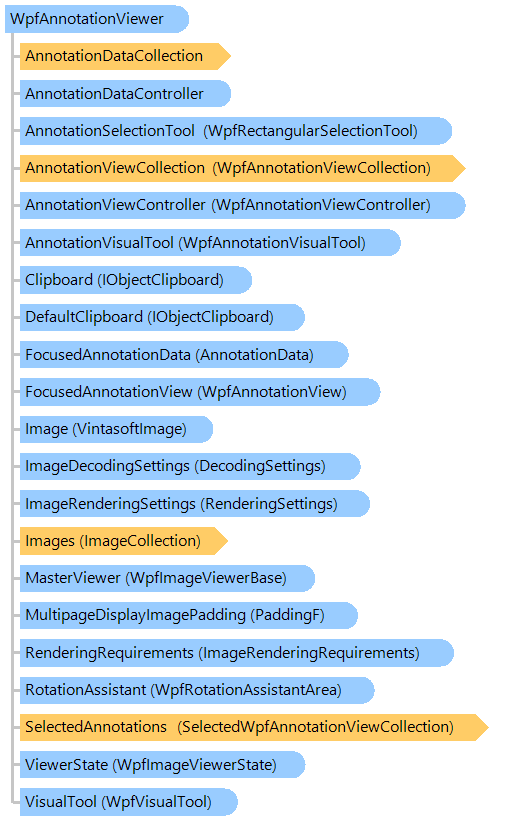
WpfAnnotationViewer Class
Viewer control for displaying an image collection with annotations.
This C#/VB.NET code shows how to open TIFF image in WPF image viewer, annotate TIFF image and save annotated TIFF image back to the source file.
''' <summary>
''' Open TIFF image in WPF image viewer,
''' annotates TIFF image and
''' saves annotated TIFF image back to the source file.
''' </summary>
''' <param name="filename">The filename of TIFF image.</param>
''' <param name="viewer">The annotation viewer.</param>
Public Shared Sub OpenAndSaveTiffFile(filename As String, viewer As Vintasoft.Imaging.Annotation.Wpf.UI.WpfAnnotationViewer)
    ' open stream
    Using stream As System.IO.FileStream = System.IO.File.Open(filename, System.IO.FileMode.Open, System.IO.FileAccess.ReadWrite)
        ' add image to the image viewer
        viewer.Images.Add(stream)

        ' create annotation data
        Dim annoData As New Vintasoft.Imaging.Annotation.HighlightAnnotationData()
        annoData.Location = New System.Drawing.PointF(150, 150)
        annoData.Size = New System.Drawing.SizeF(300, 300)

        ' add annotation to an image
        viewer.AnnotationDataCollection.Add(annoData)

        ' create TIFF encoder
        Dim tiffEncoder As New Vintasoft.Imaging.Codecs.Encoders.TiffEncoder()
        tiffEncoder.SaveAndSwitchSource = True
        ' save TIFF image back to the source stream
        viewer.Images.SaveSync(stream, tiffEncoder)

        ' dispose image
        viewer.Images.ClearAndDisposeItems()

        ' close stream
        stream.Close()
    End Using
End Sub
/// <summary>
/// Open TIFF image in WPF image viewer,
/// annotates TIFF image and
/// saves annotated TIFF image back to the source file.
/// </summary>
/// <param name="filename">The filename of TIFF image.</param>
/// <param name="viewer">The annotation viewer.</param>
public static void OpenAndSaveTiffFile(string filename, Vintasoft.Imaging.Annotation.Wpf.UI.WpfAnnotationViewer viewer)
{
    // open stream
    using (System.IO.FileStream stream = System.IO.File.Open(
        filename, System.IO.FileMode.Open, System.IO.FileAccess.ReadWrite))
    {
        // add image to the image viewer
        viewer.Images.Add(stream);

        // create annotation data
        Vintasoft.Imaging.Annotation.HighlightAnnotationData annoData =
            new Vintasoft.Imaging.Annotation.HighlightAnnotationData();
        annoData.Location = new System.Drawing.PointF(150, 150);
        annoData.Size = new System.Drawing.SizeF(300, 300);

        // add annotation to an image
        viewer.AnnotationDataCollection.Add(annoData);

        // create TIFF encoder
        Vintasoft.Imaging.Codecs.Encoders.TiffEncoder tiffEncoder =
            new Vintasoft.Imaging.Codecs.Encoders.TiffEncoder();
        tiffEncoder.SaveAndSwitchSource = true;
        // save TIFF image back to the source stream
        viewer.Images.SaveSync(stream, tiffEncoder);

        // dispose image
        viewer.Images.ClearAndDisposeItems();

        // close stream
        stream.Close();
    }
}
Target Platforms: .NET 10; .NET 9; .NET 8; .NET 7; .NET 6; .NET Framework 4.8, 4.7, 4.6, 4.5, 4.0, 3.5