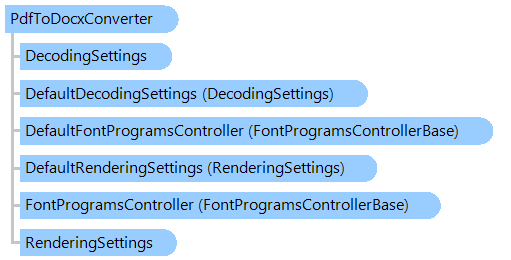
Provides converter that allows to convert PDF document to a DOCX document.
The PdfToDocxConverter class converts PDF document to an editable Word document (DOCX). The resulting Word document is optimized to allow you to edit the text, so it might not look exactly like the original PDF, especially if the original file contained lots of graphics.
Here is an example that shows how to convert PDF document to a DOCX document:
''' <summary>
''' Converts the PDF document to a DOCX document.
''' </summary>
''' <param name="inputPdfFilename">The name of input PDF file.</param>
''' <param name="outputDocxFilename">The name of output DOCX file.</param>
Public Shared Sub ConvertPdfToDocx(inputPdfFilename As String, outputDocxFilename As String)
    ' create converter that allows to convert PDF to DOCX
    Using converter As New Vintasoft.Imaging.Pdf.Office.PdfToDocxConverter()
        ' set output DOCX filename
        converter.OutputFilename = outputDocxFilename

        ' enable table detection
        converter.DetectTables = True
        converter.TableDetectionCommand = New Vintasoft.Imaging.ImageProcessing.Info.TableDetection.TableWithBordersDetectionCommand()

        ' set rendering settings, which should be used for rendering graphics content on PDF page
        converter.RenderingSettings = New Vintasoft.Imaging.Codecs.Decoders.RenderingSettings(New Vintasoft.Imaging.Resolution(96))

        Using processingState As New Vintasoft.Imaging.Processing.ProcessingState(AddressOf ProgressHandler)
            ' execute conversion from PDF to DOCX
            converter.Execute(inputPdfFilename, processingState)
        End Using
    End Using
End Sub

''' <summary>
''' Called when conversion progress is changing.
''' </summary>
''' <param name="sender">The sender.</param>
''' <param name="e">The <see cref="Vintasoft.Imaging.ProgressEventArgs"/> instance containing the event data.</param>
Private Shared Sub ProgressHandler(sender As Object, e As Vintasoft.Imaging.ProgressEventArgs)
    System.Console.WriteLine(String.Format("Conversion {0}%...", e.Progress))
End Sub
/// <summary>
/// Converts the PDF document to a DOCX document.
/// </summary>
/// <param name="inputPdfFilename">The name of input PDF file.</param>
/// <param name="outputDocxFilename">The name of output DOCX file.</param>
public static void ConvertPdfToDocx(string inputPdfFilename, string outputDocxFilename)
{
    // create converter that allows to convert PDF to DOCX
    using (Vintasoft.Imaging.Pdf.Office.PdfToDocxConverter converter = new Vintasoft.Imaging.Pdf.Office.PdfToDocxConverter())
    {
        // set output DOCX filename
        converter.OutputFilename = outputDocxFilename;

        // enable table detection
        converter.DetectTables = true;
        converter.TableDetectionCommand = new Vintasoft.Imaging.ImageProcessing.Info.TableDetection.TableWithBordersDetectionCommand();

        // set rendering settings, which should be used for rendering graphics content on PDF page
        converter.RenderingSettings = new Vintasoft.Imaging.Codecs.Decoders.RenderingSettings(new Vintasoft.Imaging.Resolution(96));

        using (Vintasoft.Imaging.Processing.ProcessingState processingState = new Vintasoft.Imaging.Processing.ProcessingState(ProgressHandler))
        {
            // execute conversion from PDF to DOCX
            converter.Execute(inputPdfFilename, processingState);
        }
    }
}

/// <summary>
/// Called when conversion progress is changing.
/// </summary>
/// <param name="sender">The sender.</param>
/// <param name="e">The <see cref="Vintasoft.Imaging.ProgressEventArgs"/> instance containing the event data.</param>
private static void ProgressHandler(object sender, Vintasoft.Imaging.ProgressEventArgs e)
{
    System.Console.WriteLine(string.Format("Conversion {0}%...", e.Progress));
}
Target Platforms: .NET 11; .NET 10; .NET 9; .NET 8; .NET 6; .NET Framework 4.8, 4.7, 4.6, 4.5, 4.0, 3.5