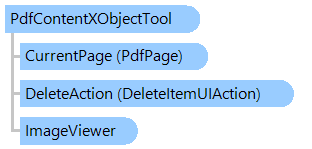
PdfContentXObjectTool Class
In This Topic
Visual tool that allows to extract, select, transform, replace or remove images or forms on PDF page.
Object Model
Syntax
'Declaration

Public Class PdfContentXObjectTool
   Inherits PdfVisualTool
   Implements ISupportUIActions
public class PdfContentXObjectTool : PdfVisualTool, ISupportUIActions
public __gc class PdfContentXObjectTool : public PdfVisualTool*, ISupportUIActions
public ref class PdfContentXObjectTool : public PdfVisualTool^, ISupportUIActions
Example
This C#/VB.NET code shows how to highlight focused XObject in PDF document loaded into image viewer.
''' <summary>
''' A form that allows to load PDF document into image viewer and
''' highlight focused XObject in PDF document.
''' </summary>
Public Partial Class PdfContentXObjectToolExamples
    Inherits System.Windows.Forms.Form

    '...
    Private _imageViewer As Vintasoft.Imaging.UI.ImageViewer
    Private _contentXObjectTool As Vintasoft.Imaging.Pdf.UI.PdfContentXObjectTool


    Public Sub New()
        '...

        ' create an instance of the PdfContentXObjectTool
        _contentXObjectTool = New Vintasoft.Imaging.Pdf.UI.PdfContentXObjectTool()

        ' set a pen and brush for image selection
        _contentXObjectTool.SelectionImagesBrush = New System.Drawing.SolidBrush(System.Drawing.Color.FromArgb(32, System.Drawing.Color.Blue))
        _contentXObjectTool.SelectionImagesPen = System.Drawing.Pens.Red
        ' set a pen and brush for form selection
        _contentXObjectTool.SelectionFormsBrush = New System.Drawing.SolidBrush(System.Drawing.Color.FromArgb(32, System.Drawing.Color.Lime))
        _contentXObjectTool.SelectionFormsPen = System.Drawing.Pens.Blue

        ' subscribe to content XObject tool events
        AddHandler _contentXObjectTool.ContentXObjectMouseEnter, New System.EventHandler(Of Vintasoft.Imaging.Pdf.UI.PdfContentXObjectEventArgs)(AddressOf ContentXObjectTool_ContentXObjectMouseEnter)
        AddHandler _contentXObjectTool.ContentXObjectMouseLeave, New System.EventHandler(Of Vintasoft.Imaging.Pdf.UI.PdfContentXObjectEventArgs)(AddressOf ContentXObjectTool_ContentXObjectMouseLeave)

        ' set the content XObject tool as current tool
        _imageViewer.VisualTool = _contentXObjectTool
    End Sub


    ''' <summary>
    ''' Occurs when the mouse pointer enters the XObject on PDF page.
    ''' </summary>
    Private Sub ContentXObjectTool_ContentXObjectMouseEnter(sender As Object, e As Vintasoft.Imaging.Pdf.UI.PdfContentXObjectEventArgs)
        ' add the focused XObject to a list of selected XObjects
        _contentXObjectTool.SelectedXObjects.Add(e.ContentXObject)
    End Sub

    ''' <summary>
    ''' Occurs when the mouse pointer leaves the XObject on PDF page.
    ''' </summary>
    Private Sub ContentXObjectTool_ContentXObjectMouseLeave(sender As Object, e As Vintasoft.Imaging.Pdf.UI.PdfContentXObjectEventArgs)
        ' remove the focused XObject from a list of selected XObjects
        _contentXObjectTool.SelectedXObjects.Remove(e.ContentXObject)
    End Sub

End Class
/// <summary>
/// A form that allows to load PDF document into image viewer and
/// highlight focused XObject in PDF document.
/// </summary>
public partial class PdfContentXObjectToolExamples : System.Windows.Forms.Form
{

    //...
    Vintasoft.Imaging.UI.ImageViewer _imageViewer;
    Vintasoft.Imaging.Pdf.UI.PdfContentXObjectTool _contentXObjectTool;


    public PdfContentXObjectToolExamples()
    {
        //...

        // create an instance of the PdfContentXObjectTool
        _contentXObjectTool = new Vintasoft.Imaging.Pdf.UI.PdfContentXObjectTool();

        // set a pen and brush for image selection
        _contentXObjectTool.SelectionImagesBrush =
            new System.Drawing.SolidBrush(
                System.Drawing.Color.FromArgb(32, System.Drawing.Color.Blue));
        _contentXObjectTool.SelectionImagesPen = System.Drawing.Pens.Red;
        // set a pen and brush for form selection
        _contentXObjectTool.SelectionFormsBrush =
            new System.Drawing.SolidBrush(
                System.Drawing.Color.FromArgb(32, System.Drawing.Color.Lime));
        _contentXObjectTool.SelectionFormsPen = System.Drawing.Pens.Blue;

        // subscribe to content XObject tool events
        _contentXObjectTool.ContentXObjectMouseEnter +=
            new System.EventHandler<Vintasoft.Imaging.Pdf.UI.PdfContentXObjectEventArgs>(ContentXObjectTool_ContentXObjectMouseEnter);
        _contentXObjectTool.ContentXObjectMouseLeave +=
            new System.EventHandler<Vintasoft.Imaging.Pdf.UI.PdfContentXObjectEventArgs>(ContentXObjectTool_ContentXObjectMouseLeave);

        // set the content XObject tool as current tool
        _imageViewer.VisualTool = _contentXObjectTool;
    }


    /// <summary>
    /// Occurs when the mouse pointer enters the XObject on PDF page.
    /// </summary>
    private void ContentXObjectTool_ContentXObjectMouseEnter(
        object sender,
        Vintasoft.Imaging.Pdf.UI.PdfContentXObjectEventArgs e)
    {
        // add the focused XObject to a list of selected XObjects
        _contentXObjectTool.SelectedXObjects.Add(e.ContentXObject);
    }

    /// <summary>
    /// Occurs when the mouse pointer leaves the XObject on PDF page.
    /// </summary>
    private void ContentXObjectTool_ContentXObjectMouseLeave(
        object sender,
        Vintasoft.Imaging.Pdf.UI.PdfContentXObjectEventArgs e)
    {
        // remove the focused XObject from a list of selected XObjects
        _contentXObjectTool.SelectedXObjects.Remove(e.ContentXObject);
    }

}
Inheritance Hierarchy
System.Object
Vintasoft.Imaging.UI.VisualTools.VisualTool
Vintasoft.Imaging.Pdf.UI.PdfVisualTool
Vintasoft.Imaging.Pdf.UI.PdfContentXObjectTool
Requirements
Target Platforms: .NET 10; .NET 9; .NET 8; .NET 7; .NET 6; .NET Framework 4.8, 4.7, 4.6, 4.5, 4.0, 3.5
See Also