PdfPageDigitalSignatureHelper Class
In This Topic
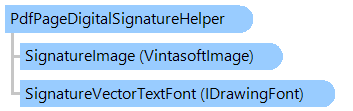
Helps to add the digital signature to a PDF page.
Object Model
Syntax
'Declaration

Public Class PdfPageDigitalSignatureHelper
public class PdfPageDigitalSignatureHelper
public __gc class PdfPageDigitalSignatureHelper
public ref class PdfPageDigitalSignatureHelper
Example
Here is an example that shows how to sign a PDF document using the specified digital signature:
Imports System.Drawing
Imports System.Security.Cryptography.X509Certificates
Imports Vintasoft.Imaging.Pdf

''' <summary>
''' Adds digital signature with image appearance to a PDF page.
''' </summary>
Public Class PdfPageDigitalSignatureHelper_ImageAppearance
    ''' <summary>
    ''' Signs a PDF document using specified PFX file.
    ''' </summary>
    ''' <param name="inputFilename">The name of input PDF file.</param>
    ''' <param name="outputFilename">The name of output PDF file.</param>
    ''' <param name="pfxFileName">The name of PFX file.</param>
    ''' <param name="pfxFilePassword">The password for PDF file.</param>
    Public Shared Sub SignPdfDocument(inputFilename As String, outputFilename As String, pfxFileName As String, pfxFilePassword As String)
        ' get the X509 certificate from .pfx-file
        Using certificate As New X509Certificate2(pfxFileName, pfxFileName)
            ' create a helper that alows to add digital signature to a PDF document
            Dim digitalSignatureHelper As New PdfPageDigitalSignatureHelper(certificate, New RectangleF(20, 20, 250, 100))

            ' set signature information
            digitalSignatureHelper.SignerName = "Mr. X"
            digitalSignatureHelper.SigningReason = "Approval"
            digitalSignatureHelper.SigningLocation = "My Location"
            digitalSignatureHelper.SignerContactInfo = "Phone: 9999-123-45-67"

            ' set the name of image file that defines the signature appearance
            digitalSignatureHelper.SignatureImageFilename = "SignatureImage.svg"

            ' add digital signature to the first PDF page, sign PDF document and save PDF document to the output file
            digitalSignatureHelper.SignDocument(inputFilename, outputFilename, 0)
        End Using
    End Sub
End Class
using System.Drawing;
using System.Security.Cryptography.X509Certificates;
using Vintasoft.Imaging.Pdf;

/// <summary>
/// Adds digital signature with image appearance to a PDF page.
/// </summary>
public class PdfPageDigitalSignatureHelper_ImageAppearance
{
    /// <summary>
    /// Signs a PDF document using specified PFX file.
    /// </summary>
    /// <param name="inputFilename">The name of input PDF file.</param>
    /// <param name="outputFilename">The name of output PDF file.</param>
    /// <param name="pfxFileName">The name of PFX file.</param>
    /// <param name="pfxFilePassword">The password for PDF file.</param>
    public static void SignPdfDocument(
        string inputFilename,
        string outputFilename,
        string pfxFileName,
        string pfxFilePassword)
    {
        // get the X509 certificate from .pfx-file
        using (X509Certificate2 certificate = new X509Certificate2(pfxFileName, pfxFileName))
        {
            // create a helper that alows to add digital signature to a PDF document
            PdfPageDigitalSignatureHelper digitalSignatureHelper = new PdfPageDigitalSignatureHelper(certificate, new RectangleF(20, 20, 250, 100));

            // set signature information
            digitalSignatureHelper.SignerName = "Mr. X";
            digitalSignatureHelper.SigningReason = "Approval";
            digitalSignatureHelper.SigningLocation = "My Location";
            digitalSignatureHelper.SignerContactInfo = "Phone: 9999-123-45-67";

            // set the name of image file that defines the signature appearance
            digitalSignatureHelper.SignatureImageFilename = "SignatureImage.svg";

            // add digital signature to the first PDF page, sign PDF document and save PDF document to the output file
            digitalSignatureHelper.SignDocument(inputFilename, outputFilename, 0);
        }
    }
}
Inheritance Hierarchy
System.Object
Vintasoft.Imaging.Pdf.PdfPageDigitalSignatureHelper
Requirements
Target Platforms: .NET 10; .NET 9; .NET 8; .NET 7; .NET 6; .NET Framework 4.8, 4.7, 4.6, 4.5, 4.0, 3.5
See Also