WpfImagePrintManager Class
In This Topic
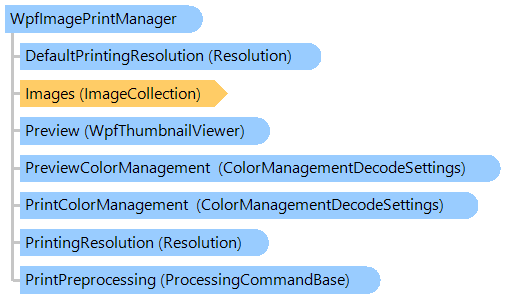
Provides functionality for printing an
ImageCollection. Also class allows to use the
WpfThumbnailViewer for print preview.
Object Model
Syntax
'Declaration

Public Class WpfImagePrintManager
public class WpfImagePrintManager
public __gc class WpfImagePrintManager
public ref class WpfImagePrintManager
Example
This C#/VB.NET code shows how to print a image collection on a default printer, each image of the image collection will be printed in BestFit mode:
''' <summary>
''' Prints images on default printer.
''' </summary>
''' <param name="images">The images, which must be printed.</param>
Public Sub PrintImagesOnDefaultPrinter(images As Vintasoft.Imaging.ImageCollection)
    ' create print manager
    Dim imagePrintManager As New Vintasoft.Imaging.Wpf.Print.WpfImagePrintManager()
    ' specify image collection which should be printed
    imagePrintManager.Images = images
    ' specify that each image must be resized to fit within the page margins,
    ' image proportions is not changed
    imagePrintManager.PrintScaleMode = Vintasoft.Imaging.Print.PrintScaleMode.BestFit

    ' subscribe to the PrintingProgress event
    AddHandler imagePrintManager.PrintingProgress, New System.EventHandler(Of Vintasoft.Imaging.ProgressEventArgs)(AddressOf imagePrintManager_PrintingProgress)

    ' start the printing process
    imagePrintManager.Print("Print task title")
End Sub

''' <summary>
''' Image printing is in progress.
''' </summary>
Private Sub imagePrintManager_PrintingProgress(sender As Object, e As Vintasoft.Imaging.ProgressEventArgs)
    ' if printing is started
    If e.Progress = 0 Then
        System.Console.Write("Printing: ")
    End If

    ' write the printing progress
    System.Console.Write(String.Format("{0} ", e.Progress))

    ' if printing is finished
    If e.Progress = 100 Then
        Dim imagePrintManager As Vintasoft.Imaging.Wpf.Print.WpfImagePrintManager = DirectCast(sender, Vintasoft.Imaging.Wpf.Print.WpfImagePrintManager)
        ' unsubscribe from the PrintingProgress event
        RemoveHandler imagePrintManager.PrintingProgress, New System.EventHandler(Of Vintasoft.Imaging.ProgressEventArgs)(AddressOf imagePrintManager_PrintingProgress)
    End If
End Sub
/// <summary>
/// Prints images on default printer.
/// </summary>
/// <param name="images">The images, which must be printed.</param>
public void PrintImagesOnDefaultPrinter(Vintasoft.Imaging.ImageCollection images)
{
    // create print manager
    Vintasoft.Imaging.Wpf.Print.WpfImagePrintManager imagePrintManager =
        new Vintasoft.Imaging.Wpf.Print.WpfImagePrintManager();
    // specify image collection which should be printed
    imagePrintManager.Images = images;
    // specify that each image must be resized to fit within the page margins,
    // image proportions is not changed
    imagePrintManager.PrintScaleMode = Vintasoft.Imaging.Print.PrintScaleMode.BestFit;

    // subscribe to the PrintingProgress event
    imagePrintManager.PrintingProgress +=
        new System.EventHandler<Vintasoft.Imaging.ProgressEventArgs>(imagePrintManager_PrintingProgress);

    // start the printing process
    imagePrintManager.Print("Print task title");
}

/// <summary>
/// Image printing is in progress.
/// </summary>
private void imagePrintManager_PrintingProgress(object sender, Vintasoft.Imaging.ProgressEventArgs e)
{
    // if printing is started
    if (e.Progress == 0)
        System.Console.Write("Printing: ");

    // write the printing progress
    System.Console.Write(string.Format("{0} ", e.Progress));

    // if printing is finished
    if (e.Progress == 100)
    {
        Vintasoft.Imaging.Wpf.Print.WpfImagePrintManager imagePrintManager =
            (Vintasoft.Imaging.Wpf.Print.WpfImagePrintManager)sender;
        // unsubscribe from the PrintingProgress event
        imagePrintManager.PrintingProgress -=
            new System.EventHandler<Vintasoft.Imaging.ProgressEventArgs>(imagePrintManager_PrintingProgress);
    }
}
Inheritance Hierarchy
Requirements
Target Platforms: .NET 11; .NET 10; .NET 9; .NET 8; .NET 6; .NET Framework 4.8, 4.7, 4.6, 4.5, 4.0, 3.5
See Also