In This Topic
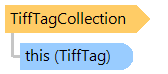
Represents a tag collection of TIFF file.
Object Model
Syntax
[DefaultMember("Item")]
public __gc __sealed class TiffTagCollection
[DefaultMember("Item")]
public ref class TiffTagCollection sealed
Remarks
Instance of this class cannot be created directly, it can be received only from the TiffPage object.
This collection allows to read/write/remove tags.
Tag with ID from the ReadOnlyTiffTagId enumeration cannot be added/modified/removed.
Example
Here is an example that shows how to add, update and remove tags of TIFF file:
Class TiffTagCollectionExample
    Public Sub RunExample()
        ' [ do not forget to set your image file path here! ]
        ' open an existing image file
        Dim tiff As New Vintasoft.Imaging.Codecs.ImageFiles.Tiff.TiffFile("image-with-tags.tif")

        ' get the tags of the first page
        Dim tags As Vintasoft.Imaging.Codecs.ImageFiles.Tiff.TiffTagCollection = tiff.Pages(0).IFD.Tags

        ' add several tags
        tags.Add(Vintasoft.Imaging.Codecs.ImageFiles.Tiff.TiffTagId.Software, "VintaSoft Imaging .NET SDK v8.2")
        tags.Add(CUShort(&He001), "BarcodeInfo")
        tags.Add(Vintasoft.Imaging.Codecs.ImageFiles.Tiff.TiffTagId.DateTime, "2010:10:10 10:20:05")
        tags.Add(Vintasoft.Imaging.Codecs.ImageFiles.Tiff.TiffTagId.XResolution, New Vintasoft.Imaging.Codecs.ImageFiles.Tiff.TiffRational(100, 1))
        tags.Add(Vintasoft.Imaging.Codecs.ImageFiles.Tiff.TiffTagId.YResolution, New Vintasoft.Imaging.Codecs.ImageFiles.Tiff.TiffRational(100, 1))
        ' remove tag
        tags.Remove(Vintasoft.Imaging.Codecs.ImageFiles.Tiff.TiffTagId.PrintImageMatching)

        ' save changes
        tiff.SaveChanges()
    End Sub
End Class
class TiffTagCollectionExample
{
    public void RunExample()
    {
        // [ do not forget to set your image file path here! ]
        // open an existing image file
        Vintasoft.Imaging.Codecs.ImageFiles.Tiff.TiffFile tiff =
            new Vintasoft.Imaging.Codecs.ImageFiles.Tiff.TiffFile(@"image-with-tags.tif");

        // get the tags of the first page
        Vintasoft.Imaging.Codecs.ImageFiles.Tiff.TiffTagCollection tags = tiff.Pages[0].IFD.Tags;

        // add several tags
        tags.Add(Vintasoft.Imaging.Codecs.ImageFiles.Tiff.TiffTagId.Software,
            "VintaSoft Imaging .NET SDK v8.2");
        tags.Add((ushort)0xE001, "BarcodeInfo");
        tags.Add(Vintasoft.Imaging.Codecs.ImageFiles.Tiff.TiffTagId.DateTime, "2010:10:10 10:20:05");
        tags.Add(Vintasoft.Imaging.Codecs.ImageFiles.Tiff.TiffTagId.XResolution,
            new Vintasoft.Imaging.Codecs.ImageFiles.Tiff.TiffRational(100, 1));
        tags.Add(Vintasoft.Imaging.Codecs.ImageFiles.Tiff.TiffTagId.YResolution,
            new Vintasoft.Imaging.Codecs.ImageFiles.Tiff.TiffRational(100, 1));
        // remove tag
        tags.Remove(Vintasoft.Imaging.Codecs.ImageFiles.Tiff.TiffTagId.PrintImageMatching);

        // save changes
        tiff.SaveChanges();
    }
}
Inheritance Hierarchy
System.Object
Vintasoft.Imaging.Codecs.ImageFiles.Tiff.TiffTagCollection
Requirements
Target Platforms: .NET 10; .NET 9; .NET 8; .NET 7; .NET 6; .NET Framework 4.8, 4.7, 4.6, 4.5, 4.0, 3.5
See Also