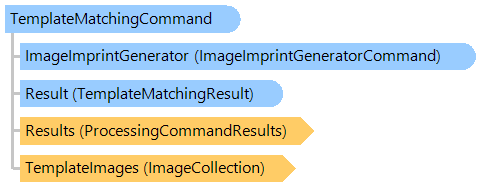
TemplateMatchingCommand Class
Compares an image with template images and determines the template image which is most closely matches the image.
This C#/VB.NET code shows how to determine a type of document (invoice or tax return) on image.
''' <summary>
''' Identifies the type of document.
''' </summary>
''' <param name="invoiceTemplateFilename">The invoice template filename.</param>
''' <param name="taxReturnTemplateFilename">The tax return template filename.</param>
''' <param name="documentFilename">The document filename.</param>
Public Shared Sub IdentifyTypeOfDocument(invoiceTemplateFilename As String, taxReturnTemplateFilename As String, documentFilename As String)
    ' create new template matching command
    Dim templateMatchingCommand As New Vintasoft.Imaging.FormsProcessing.TemplateMatching.TemplateMatchingCommand()
    ' open invoice template
    Dim invoiceTemplateImage As New Vintasoft.Imaging.VintasoftImage(invoiceTemplateFilename)
    templateMatchingCommand.TemplateImages.Add(invoiceTemplateImage)
    ' open tax return template
    Dim taxReturnTemplateImage As New Vintasoft.Imaging.VintasoftImage(taxReturnTemplateFilename)
    templateMatchingCommand.TemplateImages.Add(taxReturnTemplateImage)
    ' open test image
    Using testImage As New Vintasoft.Imaging.VintasoftImage(documentFilename)
        ' execute template matching
        templateMatchingCommand.ExecuteInPlace(testImage)
    End Using
    ' if image is recognized
    If templateMatchingCommand.Result.ImageCompareResult.IsReliable Then
        ' write matching template type
        If templateMatchingCommand.Result.TemplateImage Is invoiceTemplateImage Then
            System.Console.WriteLine("Document is an invoice.")
        Else
            System.Console.WriteLine("Document is a tax return.")
        End If
    Else
        System.Console.WriteLine("Document type is not recognized.")
    End If
    ' dispose template images
    templateMatchingCommand.TemplateImages.ClearAndDisposeItems()
End Sub
/// <summary>
/// Identifies the type of document.
/// </summary>
/// <param name="invoiceTemplateFilename">The invoice template filename.</param>
/// <param name="taxReturnTemplateFilename">The tax return template filename.</param>
/// <param name="documentFilename">The document filename.</param>
public static void IdentifyTypeOfDocument(
    string invoiceTemplateFilename,
    string taxReturnTemplateFilename,
    string documentFilename)
{
    // create new template matching command
    Vintasoft.Imaging.FormsProcessing.TemplateMatching.TemplateMatchingCommand templateMatchingCommand =
        new Vintasoft.Imaging.FormsProcessing.TemplateMatching.TemplateMatchingCommand();
    // open invoice template
    Vintasoft.Imaging.VintasoftImage invoiceTemplateImage =
        new Vintasoft.Imaging.VintasoftImage(invoiceTemplateFilename);
    templateMatchingCommand.TemplateImages.Add(invoiceTemplateImage);
    // open tax return template
    Vintasoft.Imaging.VintasoftImage taxReturnTemplateImage =
        new Vintasoft.Imaging.VintasoftImage(taxReturnTemplateFilename);
    templateMatchingCommand.TemplateImages.Add(taxReturnTemplateImage);
    // open test image
    using (Vintasoft.Imaging.VintasoftImage testImage =
        new Vintasoft.Imaging.VintasoftImage(documentFilename))
    {
        // execute template matching
        templateMatchingCommand.ExecuteInPlace(testImage);
    }
    // if image is recognized
    if (templateMatchingCommand.Result.ImageCompareResult.IsReliable)
    {
        // write matching template type
        if (templateMatchingCommand.Result.TemplateImage == invoiceTemplateImage)
            System.Console.WriteLine("Document is an invoice.");
        else
            System.Console.WriteLine("Document is a tax return.");
    }
    else
    {
        System.Console.WriteLine("Document type is not recognized.");
    }
    // dispose template images
    templateMatchingCommand.TemplateImages.ClearAndDisposeItems();
}
System.Object
Vintasoft.Imaging.ImageProcessing.ProcessingCommandBase
Vintasoft.Imaging.FormsProcessing.TemplateMatching.TemplateMatchingCommand
Target Platforms: .NET 10; .NET 9; .NET 8; .NET 7; .NET 6; .NET Framework 4.8, 4.7, 4.6, 4.5, 4.0, 3.5