.NET で XFA 圧縮を使用して 2D バーコードを生成します
2020/06/16

/// <summary>
/// Generates Aztec barcode with XFA compression.
/// </summary>
public void GenerateAztecBarcodeWithXfaCompression()
{
    string barcodeText =
        "https://www.vintasoft.com/vsbarcode-dotnet-index.html" + System.Environment.NewLine +
        "https://www.vintasoft.com/vstwain-dotnet-index.html" + System.Environment.NewLine +
        "https://www.vintasoft.com/vstwain-index.html" + System.Environment.NewLine +
        "https://www.vintasoft.com/vsimaging-dotnet-index.html" + System.Environment.NewLine +
        "https://www.vintasoft.com/vsannotation-dotnet-index.html" + System.Environment.NewLine +
        "https://www.vintasoft.com/vspdf-dotnet-index.html" + System.Environment.NewLine +
        "https://www.vintasoft.com/vsjbig2-dotnet-index.html" + System.Environment.NewLine +
        "https://www.vintasoft.com/vsjpeg2000-dotnet-index.html" + System.Environment.NewLine +
        "https://www.vintasoft.com/vsdoccleanup-dotnet-index.html" + System.Environment.NewLine +
        "https://www.vintasoft.com/vsocr-dotnet-index.html" + System.Environment.NewLine +
        "https://www.vintasoft.com/vsdicom-dotnet-index.html" + System.Environment.NewLine +
        "https://www.vintasoft.com/vsformsprocessing-dotnet-index.html" + System.Environment.NewLine +
        "https://www.vintasoft.com/vsoffice-dotnet-index.html";

    // create the barcode writer
    Vintasoft.Barcode.BarcodeWriter barcodeWriter = new Vintasoft.Barcode.BarcodeWriter();

    // create the XFA compressed Aztec barcode symbology
    Vintasoft.Barcode.SymbologySubsets.XFACompressedAztecBarcodeSymbology xfaCompressedAztecBarcodeSymbology =
        new Vintasoft.Barcode.SymbologySubsets.XFACompressedAztecBarcodeSymbology();
    // encode barcode text using XFA compressed Aztec barcode symbology
    xfaCompressedAztecBarcodeSymbology.Encode(barcodeText, barcodeWriter.Settings);

    // get barcode as image
    using (System.Drawing.Image barcodeImage = barcodeWriter.GetBarcodeAsBitmap())
    {
        // save the barcode image to a file
        barcodeImage.Save("aztec-barcode-with-xfa-compression.png");
    }
}
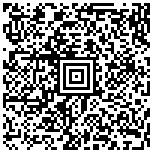
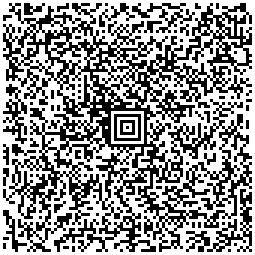
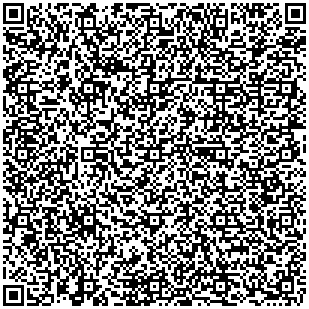
/// <summary>
/// Generates DataMatrix barcode with XFA compression.
/// </summary>
public void GenerateDataMatrixBarcodeWithXfaCompression()
{
    string barcodeText =
        "https://www.vintasoft.com/vsbarcode-dotnet-index.html" + System.Environment.NewLine +
        "https://www.vintasoft.com/vstwain-dotnet-index.html" + System.Environment.NewLine +
        "https://www.vintasoft.com/vstwain-index.html" + System.Environment.NewLine +
        "https://www.vintasoft.com/vsimaging-dotnet-index.html" + System.Environment.NewLine +
        "https://www.vintasoft.com/vsannotation-dotnet-index.html" + System.Environment.NewLine +
        "https://www.vintasoft.com/vspdf-dotnet-index.html" + System.Environment.NewLine +
        "https://www.vintasoft.com/vsjbig2-dotnet-index.html" + System.Environment.NewLine +
        "https://www.vintasoft.com/vsjpeg2000-dotnet-index.html" + System.Environment.NewLine +
        "https://www.vintasoft.com/vsdoccleanup-dotnet-index.html" + System.Environment.NewLine +
        "https://www.vintasoft.com/vsocr-dotnet-index.html" + System.Environment.NewLine +
        "https://www.vintasoft.com/vsdicom-dotnet-index.html" + System.Environment.NewLine +
        "https://www.vintasoft.com/vsformsprocessing-dotnet-index.html" + System.Environment.NewLine +
        "https://www.vintasoft.com/vsoffice-dotnet-index.html";

    // create the barcode writer
    Vintasoft.Barcode.BarcodeWriter barcodeWriter = new Vintasoft.Barcode.BarcodeWriter();

    // create the XFA compressed DataMatrix barcode symbology
    Vintasoft.Barcode.SymbologySubsets.XFACompressedDataMatrixBarcodeSymbology xfaCompressedDataMatrixBarcodeSymbology =
        new Vintasoft.Barcode.SymbologySubsets.XFACompressedDataMatrixBarcodeSymbology();
    // encode barcode text using XFA compressed DataMatrix barcode symbology
    xfaCompressedDataMatrixBarcodeSymbology.Encode(barcodeText, barcodeWriter.Settings);

    // get barcode as image
    using (System.Drawing.Image barcodeImage = barcodeWriter.GetBarcodeAsBitmap())
    {
        // save the barcode image to a file
        barcodeImage.Save("dataMatrix-barcode-with-xfa-compression.png");
    }
}
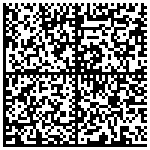
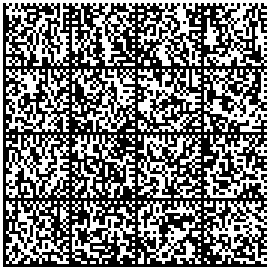
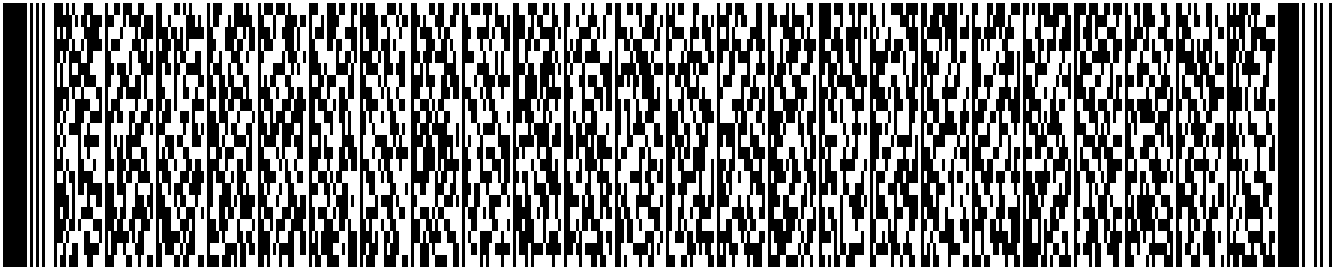
/// <summary>
/// Generates PDF417 barcode with XFA compression.
/// </summary>
public void GeneratePdf417BarcodeWithXfaCompression()
{
    string barcodeText =
        "https://www.vintasoft.com/vsbarcode-dotnet-index.html" + System.Environment.NewLine +
        "https://www.vintasoft.com/vstwain-dotnet-index.html" + System.Environment.NewLine +
        "https://www.vintasoft.com/vstwain-index.html" + System.Environment.NewLine +
        "https://www.vintasoft.com/vsimaging-dotnet-index.html" + System.Environment.NewLine +
        "https://www.vintasoft.com/vsannotation-dotnet-index.html" + System.Environment.NewLine +
        "https://www.vintasoft.com/vspdf-dotnet-index.html" + System.Environment.NewLine +
        "https://www.vintasoft.com/vsjbig2-dotnet-index.html" + System.Environment.NewLine +
        "https://www.vintasoft.com/vsjpeg2000-dotnet-index.html" + System.Environment.NewLine +
        "https://www.vintasoft.com/vsdoccleanup-dotnet-index.html" + System.Environment.NewLine +
        "https://www.vintasoft.com/vsocr-dotnet-index.html" + System.Environment.NewLine +
        "https://www.vintasoft.com/vsdicom-dotnet-index.html" + System.Environment.NewLine +
        "https://www.vintasoft.com/vsformsprocessing-dotnet-index.html" + System.Environment.NewLine +
        "https://www.vintasoft.com/vsoffice-dotnet-index.html";

    // create the barcode writer
    Vintasoft.Barcode.BarcodeWriter barcodeWriter = new Vintasoft.Barcode.BarcodeWriter();

    // create the XFA compressed PDF417 barcode symbology
    Vintasoft.Barcode.SymbologySubsets.XFACompressedPDF417BarcodeSymbology xfaCompressedPdf417BarcodeSymbology =
        new Vintasoft.Barcode.SymbologySubsets.XFACompressedPDF417BarcodeSymbology();
    // encode barcode text using XFA compressed PDF417 barcode symbology
    xfaCompressedPdf417BarcodeSymbology.Encode(barcodeText, barcodeWriter.Settings);

    // get barcode as image
    using (System.Drawing.Image barcodeImage = barcodeWriter.GetBarcodeAsBitmap())
    {
        // save the barcode image to a file
        barcodeImage.Save("pdf417-barcode-with-xfa-compression.png");
    }
}

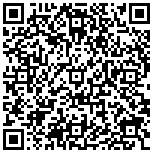
/// <summary>
/// Generates QR barcode with XFA compression.
/// </summary>
public void GenerateQrCodeBarcodeWithXfaCompression()
{
    string barcodeText =
        "https://www.vintasoft.com/vsbarcode-dotnet-index.html" + System.Environment.NewLine +
        "https://www.vintasoft.com/vstwain-dotnet-index.html" + System.Environment.NewLine +
        "https://www.vintasoft.com/vstwain-index.html" + System.Environment.NewLine +
        "https://www.vintasoft.com/vsimaging-dotnet-index.html" + System.Environment.NewLine +
        "https://www.vintasoft.com/vsannotation-dotnet-index.html" + System.Environment.NewLine +
        "https://www.vintasoft.com/vspdf-dotnet-index.html" + System.Environment.NewLine +
        "https://www.vintasoft.com/vsjbig2-dotnet-index.html" + System.Environment.NewLine +
        "https://www.vintasoft.com/vsjpeg2000-dotnet-index.html" + System.Environment.NewLine +
        "https://www.vintasoft.com/vsdoccleanup-dotnet-index.html" + System.Environment.NewLine +
        "https://www.vintasoft.com/vsocr-dotnet-index.html" + System.Environment.NewLine +
        "https://www.vintasoft.com/vsdicom-dotnet-index.html" + System.Environment.NewLine +
        "https://www.vintasoft.com/vsformsprocessing-dotnet-index.html" + System.Environment.NewLine +
        "https://www.vintasoft.com/vsoffice-dotnet-index.html";

    // create the barcode writer
    Vintasoft.Barcode.BarcodeWriter barcodeWriter = new Vintasoft.Barcode.BarcodeWriter();

    // create the XFA compressed QR barcode symbology
    Vintasoft.Barcode.SymbologySubsets.XFACompressedQRCodeBarcodeSymbology xfaCompressedQrCodeBarcodeSymbology =
        new Vintasoft.Barcode.SymbologySubsets.XFACompressedQRCodeBarcodeSymbology();
    // encode barcode text using XFA compressed QR barcode symbology
    xfaCompressedQrCodeBarcodeSymbology.Encode(barcodeText, barcodeWriter.Settings);

    // get barcode as image
    using (System.Drawing.Image barcodeImage = barcodeWriter.GetBarcodeAsBitmap())
    {
        // save the barcode image to a file
        barcodeImage.Save("qr-barcode-with-xfa-compression.png");
    }
}
/// <summary>
/// Recognizes 2D barcode with XFA compressed data.
/// </summary>
/// <param name="barcodeImageFile">A path to a barcode image file.</param>
public void Recognize2DBarcodeWithXfaCompressedData(string barcodeImageFile)
{
    // create barcode reader
    using (Vintasoft.Barcode.BarcodeReader reader = new Vintasoft.Barcode.BarcodeReader())
    {
        // specify that reader must search for XFA compressed Aztec barcodes
        reader.Settings.ScanBarcodeSubsets.Add(Vintasoft.Barcode.SymbologySubsets.BarcodeSymbologySubsets.XFACompressedAztec);
        // specify that reader must search for XFA compressed DataMatrix barcodes
        reader.Settings.ScanBarcodeSubsets.Add(Vintasoft.Barcode.SymbologySubsets.BarcodeSymbologySubsets.XFACompressedDataMatrix);
        // specify that reader must search for XFA compressed PDF417 barcodes
        reader.Settings.ScanBarcodeSubsets.Add(Vintasoft.Barcode.SymbologySubsets.BarcodeSymbologySubsets.XFACompressedPDF417);
        // specify that reader must search for XFA compressed QR barcodes
        reader.Settings.ScanBarcodeSubsets.Add(Vintasoft.Barcode.SymbologySubsets.BarcodeSymbologySubsets.XFACompressedQRCode);

        // specify that reader must search for horizontal barcodes only
        reader.Settings.ScanDirection = Vintasoft.Barcode.ScanDirection.Horizontal;

        // read barcodes from image file
        Vintasoft.Barcode.IBarcodeInfo[] barcodeInfos = reader.ReadBarcodes(barcodeImageFile);

        // if barcodes are not detected
        if (barcodeInfos.Length == 0)
        {
            System.Console.WriteLine("Barcodes are not found.");
        }
        // if barcodes are detected
        else
        {
            // get information about recognized barcodes

            System.Console.WriteLine(string.Format("{0} barcode(s) found:", barcodeInfos.Length));
            System.Console.WriteLine();
            for (int i = 0; i < barcodeInfos.Length; i++)
            {
                Vintasoft.Barcode.IBarcodeInfo barcodeInfo = barcodeInfos[i];
                System.Console.WriteLine(string.Format("[{0}:{1}]", i + 1, barcodeInfo.BarcodeType));
                System.Console.WriteLine(string.Format("Value:      {0}", barcodeInfo.Value));
                System.Console.WriteLine(string.Format("Region:     {0}", barcodeInfo.Region));
                System.Console.WriteLine();
            }
        }
    }
    System.Console.WriteLine();
    System.Console.WriteLine();
}