.NET で DotCode バーコードを生成および認識します
2020/08/13

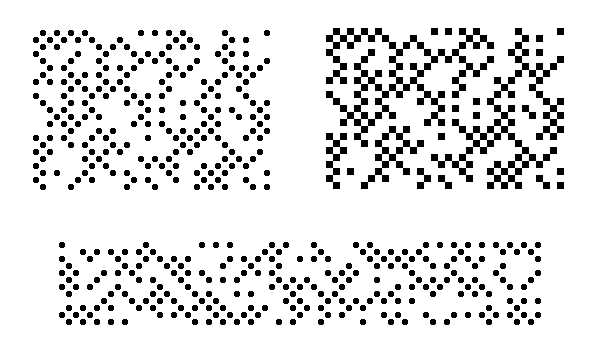
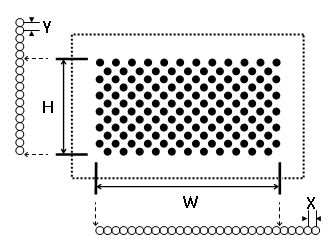
/// <summary>
/// Generates DotCode barcode as raster image.
/// </summary>
public void GenerateDotCodeBarcodeAsRasterImage()
{
    // create the barcode writer
    Vintasoft.Barcode.BarcodeWriter barcodeWriter = new Vintasoft.Barcode.BarcodeWriter();

    // set barcode writer settings
    barcodeWriter.Settings.Barcode = Vintasoft.Barcode.BarcodeType.DotCode;
    barcodeWriter.Settings.Value = "abc012345def";

    // get a barcode image
    using (System.Drawing.Image image = barcodeWriter.GetBarcodeAsBitmap())
    {
        // save the barcode image to a file
        image.Save("DotCodeBarcode.png");
    }
}
/// <summary>
/// Generates DotCode barcode as graphics path.
/// </summary>
public System.Drawing.Drawing2D.GraphicsPath GenerateDotCodeBarcodeAsGraphicsPath()
{
    // create the barcode writer
    Vintasoft.Barcode.BarcodeWriter barcodeWriter = new Vintasoft.Barcode.BarcodeWriter();

    // set barcode writer settings
    barcodeWriter.Settings.Barcode = Vintasoft.Barcode.BarcodeType.DotCode;
    barcodeWriter.Settings.Value = "012345abcde";

    // return barcode as graphics path
    return barcodeWriter.GetBarcodeAsGraphicsPath();
}
/// <summary>
/// Generates DotCode barcode as SVG image.
/// </summary>
public string GenerateDotCodeBarcodeAsSvgImage()
{
    // create the barcode writer
    Vintasoft.Barcode.BarcodeWriter barcodeWriter = new Vintasoft.Barcode.BarcodeWriter();

    // set barcode writer settings
    barcodeWriter.Settings.Barcode = Vintasoft.Barcode.BarcodeType.DotCode;
    barcodeWriter.Settings.Value = "012345abcde";

    // return barcode as SVG image
    return barcodeWriter.GetBarcodeAsSvgFile();
}
/// <summary>
/// Recognizes DotCode barcode in image.
/// </summary>
public void RecognizeDotCodeBarcode()
{
// create barcode reader
using (Vintasoft.Barcode.BarcodeReader reader = new Vintasoft.Barcode.BarcodeReader())
{
// specify that reader must search for DotCode barcodes
reader.Settings.ScanBarcodeTypes = Vintasoft.Barcode.BarcodeType.DotCode;
// ScanInterval must be lower than dot size of DotCode barcode, in pixels
reader.Settings.ScanInterval = 3;
// read barcodes from image file
Vintasoft.Barcode.IBarcodeInfo[] barcodeInfos = reader.ReadBarcodes("DotCodeCodeBarcode.png");
// if barcodes are not detected
if (barcodeInfos.Length == 0)
{
Console.WriteLine("Barcodes are not found.");
}
// if barcodes are detected
else
{
// get information about recognized barcodes
Console.WriteLine(string.Format("{0} barcode(s) found:", barcodeInfos.Length));
Console.WriteLine();
for (int i = 0; i < barcodeInfos.Length; i++)
{
Vintasoft.Barcode.IBarcodeInfo barcodeInfo = barcodeInfos[i];
Console.WriteLine(string.Format("[{0}:{1}]", i + 1, barcodeInfo.BarcodeType));
Console.WriteLine(string.Format("Value: {0}", barcodeInfo.Value));
Console.WriteLine(string.Format("Region: {0}", barcodeInfo.Region));
Console.WriteLine();
}
}
}
}