.NET/C#에서 이미지 정렬을 위한 2D 바코드 사용
2020/05/15


public static void Test()
{
    AlignImages(
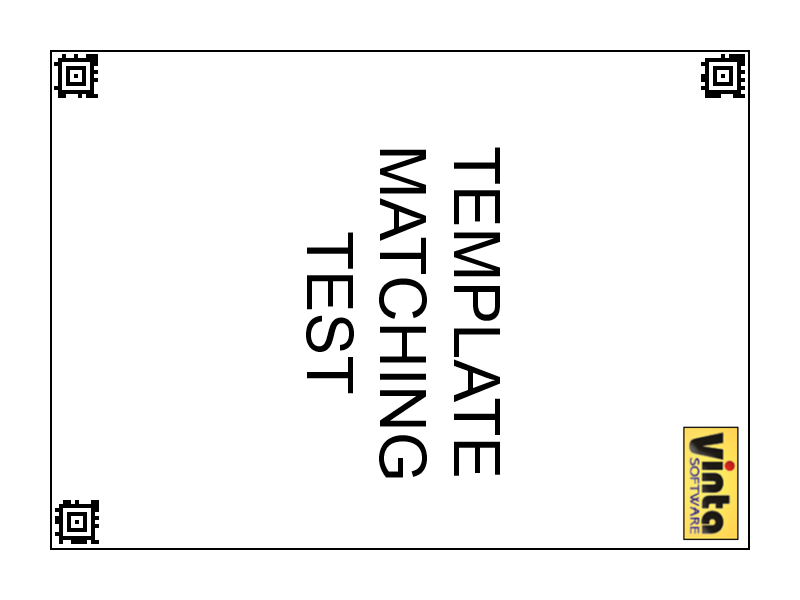
        new string[] { "BarcodeTemplateMatching_template1.png" },
        new string[] {
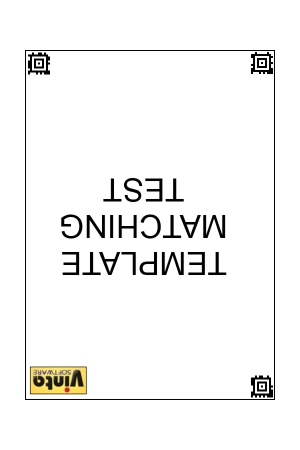
    "BarcodeTemplateMatching_1_rotate90.png",
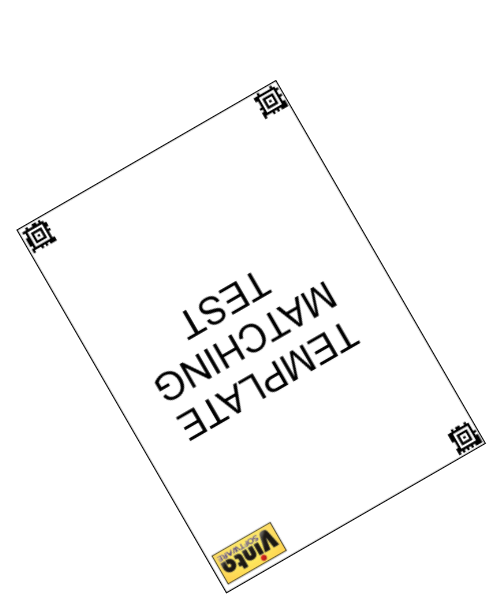
    "BarcodeTemplateMatching_1_scale-rotate150.png",
    "BarcodeTemplateMatching_1_scale-rotate180.png"});
}

public static void AlignImages(string[] templates, string[] images)
{
    // create barcode key zone recognizer
    BarcodeKeyZoneRecognizerCommand barcodeRecognizer = new BarcodeKeyZoneRecognizerCommand();
    // set barcode reader settings
    barcodeRecognizer.Settings.ScanBarcodeTypes = Vintasoft.Barcode.BarcodeType.Aztec;
    barcodeRecognizer.Settings.ScanDirection = Vintasoft.Barcode.ScanDirection.Horizontal | Vintasoft.Barcode.ScanDirection.Vertical;
    barcodeRecognizer.Settings.AutomaticRecognition = true;
    // specify that image contains 3 barcodes
    barcodeRecognizer.Settings.ExpectedBarcodes = 3;

    // create an imprint generator, which is based on barcode key zones
    Vintasoft.Imaging.FormsProcessing.TemplateMatching.ImageImprintGeneratorCommand barcodeImprintGenerator =
        new Vintasoft.Imaging.FormsProcessing.TemplateMatching.ImageImprintGeneratorCommand(barcodeRecognizer);

    // create template matching command
    Vintasoft.Imaging.FormsProcessing.TemplateMatching.TemplateMatchingCommand templateMatchingCommand =
        new Vintasoft.Imaging.FormsProcessing.TemplateMatching.TemplateMatchingCommand();
    // specify that the template matching command must use imprint generator, which is based on barcode key zones
    templateMatchingCommand.ImageImprintGenerator = barcodeImprintGenerator;

    // for each template image file
    foreach (string template in templates)
    {
        // add template image file to the templates of template matching command
        templateMatchingCommand.TemplateImages.Add(template);
    }

    // for each input image file
    foreach (string imageFilename in images)
    {
        // create input image
        using (Vintasoft.Imaging.VintasoftImage image = new Vintasoft.Imaging.VintasoftImage(imageFilename))
        {
            // find a template for the image
            templateMatchingCommand.ExecuteInPlace(image);
            // get the image compare result
            Vintasoft.Imaging.FormsProcessing.TemplateMatching.ImageImprintCompareResult compareResult = templateMatchingCommand.Result.ImageCompareResult;

            // print image file name
            System.Console.WriteLine(imageFilename);
            // print the image comparison result
            System.Console.WriteLine(string.Format(" IsReliable ={0}", compareResult.IsReliable));

            // if template for image is found
            if (compareResult.IsReliable)
            {
                // print the image comparison confidence
                System.Console.WriteLine(string.Format(" Confidence ={0}%", compareResult.Confidence * 100));
                // print information about matrix, which defines image transformation relative to the template image
                System.Console.WriteLine(string.Format(" TransformMatrix ={0}", compareResult.TransformMatrix));

                // create the template aligning command
                Vintasoft.Imaging.FormsProcessing.TemplateMatching.TemplateAligningCommand templateAligningCommand =
                    new Vintasoft.Imaging.FormsProcessing.TemplateMatching.TemplateAligningCommand();
                // specify that template aligning command must use matrix, which defines image transformation relative to the template image
                templateAligningCommand.CompareResult = compareResult;
                // apply the aligning command to the image
                templateAligningCommand.ExecuteInPlace(image);
                // save aligned image to a file
                image.Save(string.Format("{0}_result.png", System.IO.Path.GetFileNameWithoutExtension(imageFilename)));
            }
            System.Console.WriteLine();
        }
    }
}



/// <summary>
/// Represents key zone based on recognized barcode.
/// </summary>
public class BarcodeKeyZone : Vintasoft.Imaging.FormsProcessing.TemplateMatching.KeyZone
{

    #region Constructors

    /// <summary>
    /// Initializes a new instance of the <see cref="BarcodeKeyZone"/> class.
    /// </summary>
    /// <param name="barcodeInfo">The barcode information.</param>
    public BarcodeKeyZone(Vintasoft.Barcode.IBarcodeInfo barcodeInfo)
        : base()
    {
        _barcodeInfo = barcodeInfo;
        if (barcodeInfo is Vintasoft.Barcode.BarcodeInfo.AztecInfo)
        {
            // get the barcode center from barcode info
            _location = ((Vintasoft.Barcode.BarcodeInfo.AztecInfo)barcodeInfo).BulleyeCenter;
        }
        else
        {
            // calculate the barcode center

            _location = System.Drawing.PointF.Empty;
            System.Drawing.Point[] points = barcodeInfo.Region.GetPoints();
            for (int i = 0; i < points.Length; i++)
            {
                _location.X += points[i].X;
                _location.Y += points[i].Y;
            }
            _location.X /= points.Length;
            _location.Y /= points.Length;
        }
    }

    /// <summary>
    /// Initializes a new instance of the <see cref="BarcodeKeyZone"/> class.
    /// </summary>
    /// <param name="barcodeInfo">The barcode information.</param>
    /// <param name="location">The location.</param>
    private BarcodeKeyZone(Vintasoft.Barcode.IBarcodeInfo barcodeInfo, System.Drawing.PointF location)
        : base()
    {
        _barcodeInfo = barcodeInfo;
        _location = location;
    }

    #endregion


    #region Properties

    System.Drawing.PointF _location;
    /// <summary>
    /// Gets the location of the key zone on the image.
    /// </summary>
    public override System.Drawing.PointF Location
    {
        get
        {
            return _location;
        }
    }

    Vintasoft.Barcode.IBarcodeInfo _barcodeInfo;
    /// <summary>
    /// Gets the barcode information.
    /// </summary>
    public Vintasoft.Barcode.IBarcodeInfo BarcodeInfo
    {
        get
        {
            return _barcodeInfo;
        }
    }

    #endregion


    #region Methods

    /// <summary>
    /// Applies a transformation to the key zone.
    /// </summary>
    /// <param name="m">The <see cref="Vintasoft.Imaging.AffineMatrix" />
    /// that specifies the transformation to apply.</param>
    public override void Transform(Vintasoft.Imaging.AffineMatrix m)
    {
        if (m == null)
            return;
        _location = Vintasoft.Imaging.PointFAffineTransform.TransformPoint(m, _location);
    }

    /// <summary>
    /// Returns the similarity of specified <see cref="Vintasoft.Imaging.FormsProcessing.TemplateMatching.KeyZone" /> and the current key zone.
    /// </summary>
    /// <param name="zone">The <see cref="Vintasoft.Imaging.FormsProcessing.TemplateMatching.KeyZone" /> to compare with.</param>
    /// <returns>
    /// The similarity of specified keyzone and the current key zone in range from 0 to 1.<br />
    /// 0 means that zones are absolutely NOT similar;
    /// 1 means that zones are perfectly similar.
    /// </returns>
    public override double CalculateSimilarity(Vintasoft.Imaging.FormsProcessing.TemplateMatching.KeyZone zone)
    {
        BarcodeKeyZone barcodeZone = zone as BarcodeKeyZone;
        if (barcodeZone == null)
            return 0;

        if (barcodeZone.BarcodeInfo.Value == BarcodeInfo.Value &&
            barcodeZone.BarcodeInfo.BarcodeType == BarcodeInfo.BarcodeType)
            return 1;

        return 0;
    }

    /// <summary>
    /// Creates a new object that is a copy of the current instance.
    /// </summary>
    /// <returns>A new object that is a copy of this instance.</returns>
    public override object Clone()
    {
        return new BarcodeKeyZone(BarcodeInfo, Location);
    }

    #endregion

}
/// <summary>
/// Recognizes key zones, based on barcodes, on an image.
/// </summary>
public class BarcodeKeyZoneRecognizerCommand : Vintasoft.Imaging.FormsProcessing.TemplateMatching.KeyZoneRecognizerCommand
{

    #region Constructors

    /// <summary>
    /// Initializes a new instance of the <see cref="BarcodeKeyZoneRecognizerCommand"/> class.
    /// </summary>
    public BarcodeKeyZoneRecognizerCommand()
        : base()
    {
    }

    #endregion


    #region Properties

    static System.Collections.ObjectModel.ReadOnlyCollection<Vintasoft.Imaging.PixelFormat> _supportedNativePixelFormats;
    /// <summary>
    /// Gets a list of supported pixel formats for this processing command.
    /// </summary>
    public override System.Collections.ObjectModel.ReadOnlyCollection<Vintasoft.Imaging.PixelFormat> SupportedNativePixelFormats
    {
        get
        {
            if (_supportedNativePixelFormats == null)
            {
                System.Collections.Generic.List<Vintasoft.Imaging.PixelFormat> supportedPixelFormats = new System.Collections.Generic.List<Vintasoft.Imaging.PixelFormat>();
                supportedPixelFormats.Add(Vintasoft.Imaging.PixelFormat.BlackWhite);
                supportedPixelFormats.Add(Vintasoft.Imaging.PixelFormat.Bgr24);
                supportedPixelFormats.Add(Vintasoft.Imaging.PixelFormat.Bgr32);
                supportedPixelFormats.Add(Vintasoft.Imaging.PixelFormat.Indexed1);
                supportedPixelFormats.Add(Vintasoft.Imaging.PixelFormat.Indexed8);
                supportedPixelFormats.Add(Vintasoft.Imaging.PixelFormat.Gray8);
                _supportedNativePixelFormats = supportedPixelFormats.AsReadOnly();
            }
            return _supportedNativePixelFormats;
        }
    }

    Vintasoft.Barcode.ReaderSettings _settings = new Vintasoft.Barcode.ReaderSettings();
    /// <summary>
    /// Gets or sets the barcode reader settings.
    /// </summary>
    /// <value>
    /// The reader settings.
    /// </value>
    public Vintasoft.Barcode.ReaderSettings Settings
    {
        get
        {
            return _settings;
        }
        set
        {
            if (value == null)
                throw new System.ArgumentNullException();
            _settings = value;
        }
    }

    #endregion


    #region Methods

    /// <summary>
    /// Creates a new <see cref="BarcodeKeyZoneRecognizerCommand"/> that is a copy of the current
    /// instance.
    /// </summary>
    /// <returns>A new <see cref="BarcodeKeyZoneRecognizerCommand"/> that is a copy of this
    /// instance.</returns>
    public override object Clone()
    {
        BarcodeKeyZoneRecognizerCommand recognizer = new BarcodeKeyZoneRecognizerCommand();
        recognizer.IsNested = IsNested;
        recognizer.RegionOfInterest = RegionOfInterest;
        recognizer.Settings = Settings.Clone();
        return recognizer;
    }


    /// <summary>
    /// Recognizes key zones in the specified rectangle of the specified image.
    /// </summary>
    /// <param name="image">The image where key zones must be searched.</param>
    /// <param name="rect">The region of interest on image.</param>
    /// <returns>An array of recognized key zones.</returns>
    protected override Vintasoft.Imaging.FormsProcessing.TemplateMatching.KeyZone[] Recognize(Vintasoft.Imaging.VintasoftImage image, System.Drawing.Rectangle rect)
    {
        Vintasoft.Barcode.BarcodeReader reader = new Vintasoft.Barcode.BarcodeReader();
        reader.Settings = Settings.Clone();
        reader.Settings.ScanRectangle = rect;
        using (System.Drawing.Bitmap bitmap = image.GetAsBitmap())
        {
            Vintasoft.Barcode.IBarcodeInfo[] infos = reader.ReadBarcodes(bitmap);
            Vintasoft.Imaging.FormsProcessing.TemplateMatching.KeyZone[] result = new Vintasoft.Imaging.FormsProcessing.TemplateMatching.KeyZone[infos.Length];
            for (int i = 0; i < infos.Length; i++)
                result[i] = new BarcodeKeyZone(infos[i]);
            return result;
        }
    }

    #endregion

}