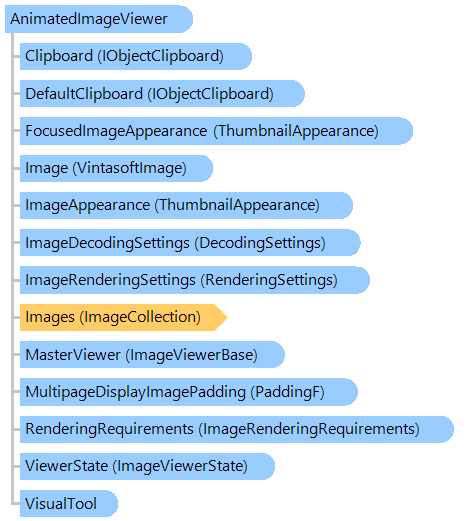
AnimatedImageViewer Class
Represents a viewer control for displaying the animation from images.
This C#/VB.NET code shows how to show animation from GIF image file in AnimatedImageViewer.
''' <summary>
''' Shows animation in animated image viewer.
''' </summary>
''' <param name="viewer">An animated image viewer.</param>
''' <param name="filename">The filename.</param>
Private Sub StartAnimation(viewer As Vintasoft.Imaging.UI.AnimatedImageViewer, filename As String)
' if image collection of the image viewer is not empty
If viewer.Images.Count > 0 Then
' clear the image collection of the image viewer
viewer.Images.ClearAndDisposeItems()
End If
' open the file
viewer.Images.Add(filename)
' start the animation
viewer.Animation = True
End Sub
/// <summary>
/// Shows animation in animated image viewer.
/// </summary>
/// <param name="viewer">An animated image viewer.</param>
/// <param name="filename">The filename.</param>
private void StartAnimation(Vintasoft.Imaging.UI.AnimatedImageViewer viewer, string filename)
{
// if image collection of the image viewer is not empty
if (viewer.Images.Count > 0)
{
// clear the image collection of the image viewer
viewer.Images.ClearAndDisposeItems();
}
// open the file
viewer.Images.Add(filename);
// start the animation
viewer.Animation = true;
}
System.Object
 System.MarshalByRefObject
   System.ComponentModel.Component
     System.Windows.Forms.Control
       System.Windows.Forms.ScrollableControl
         Vintasoft.Imaging.UI.ImageViewerBase
           Vintasoft.Imaging.UI.ImageViewer
             Vintasoft.Imaging.UI.AnimatedImageViewer
Target Platforms: .NET 10; .NET 9; .NET 8; .NET 7; .NET 6; .NET Framework 4.8, 4.7, 4.6, 4.5, 4.0, 3.5