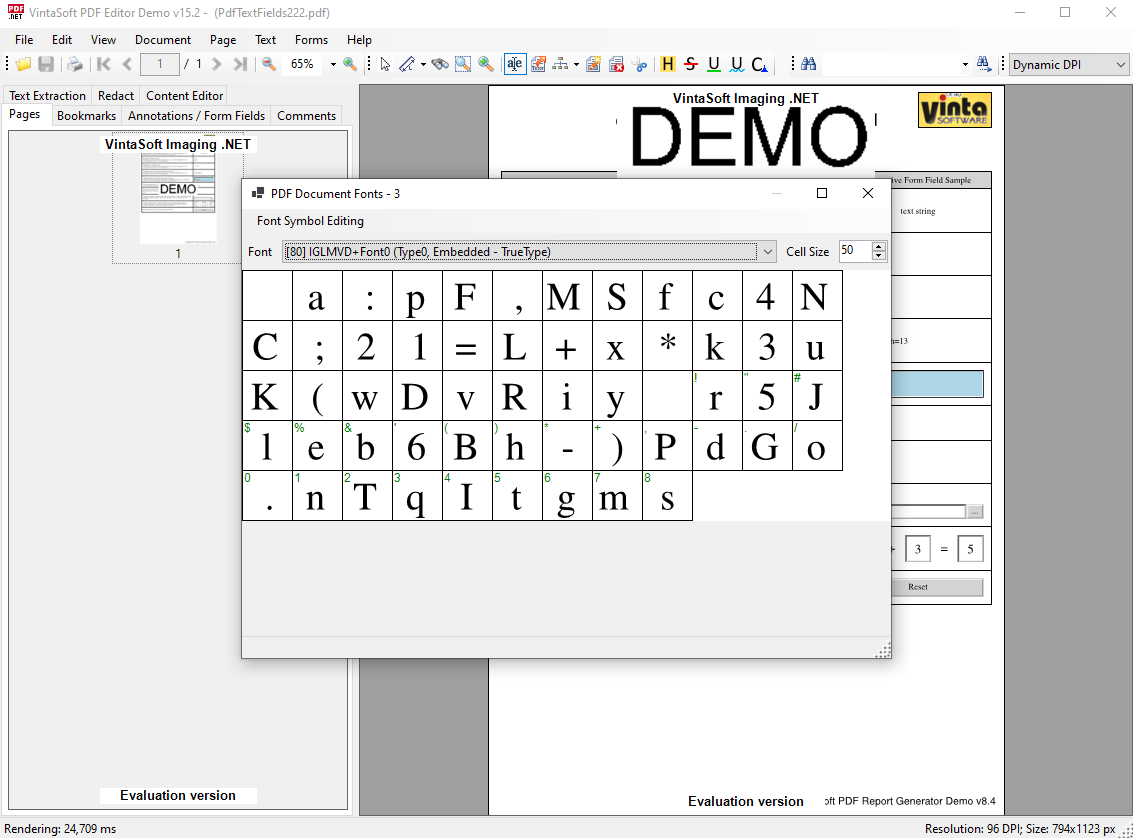
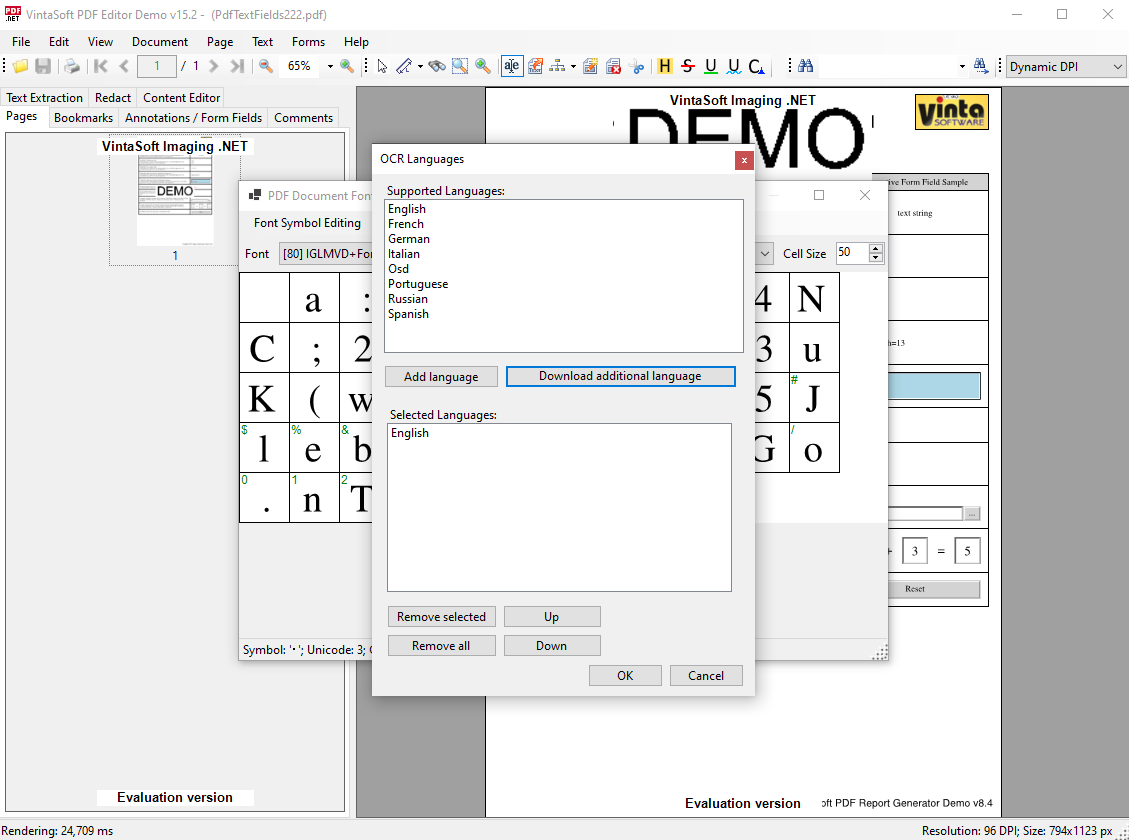
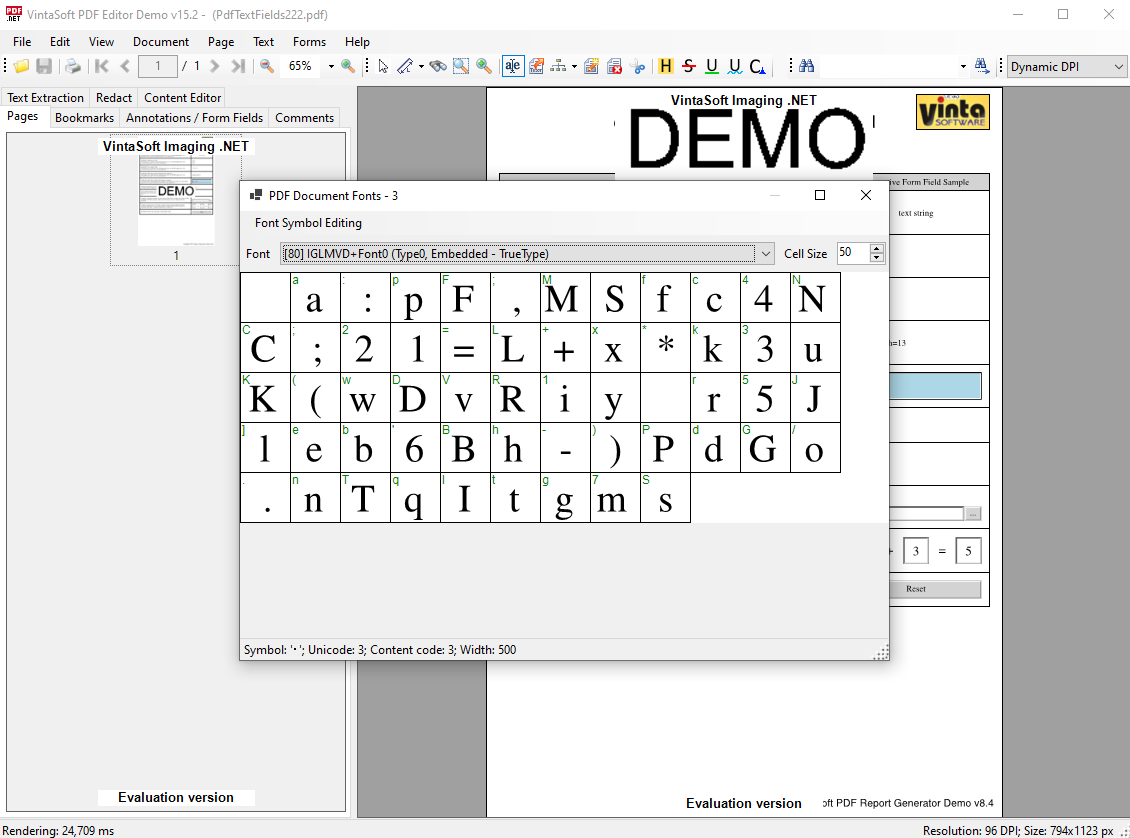
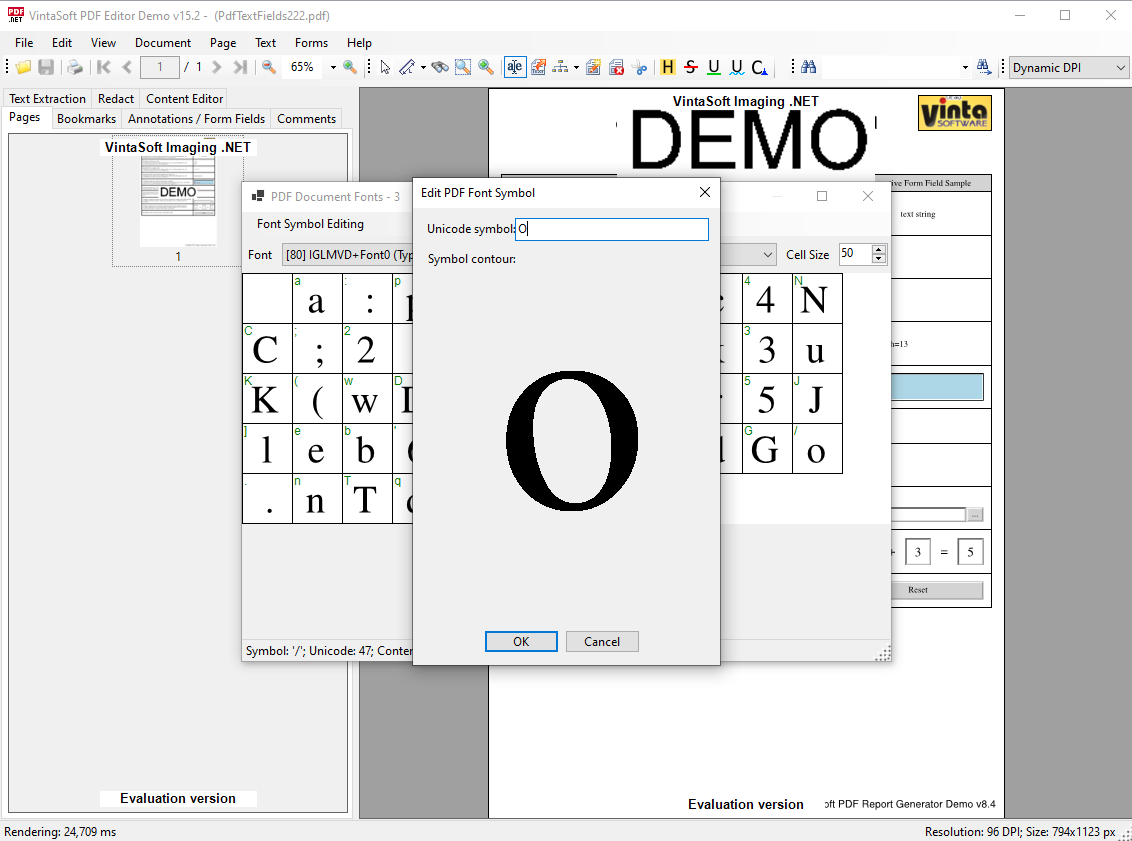
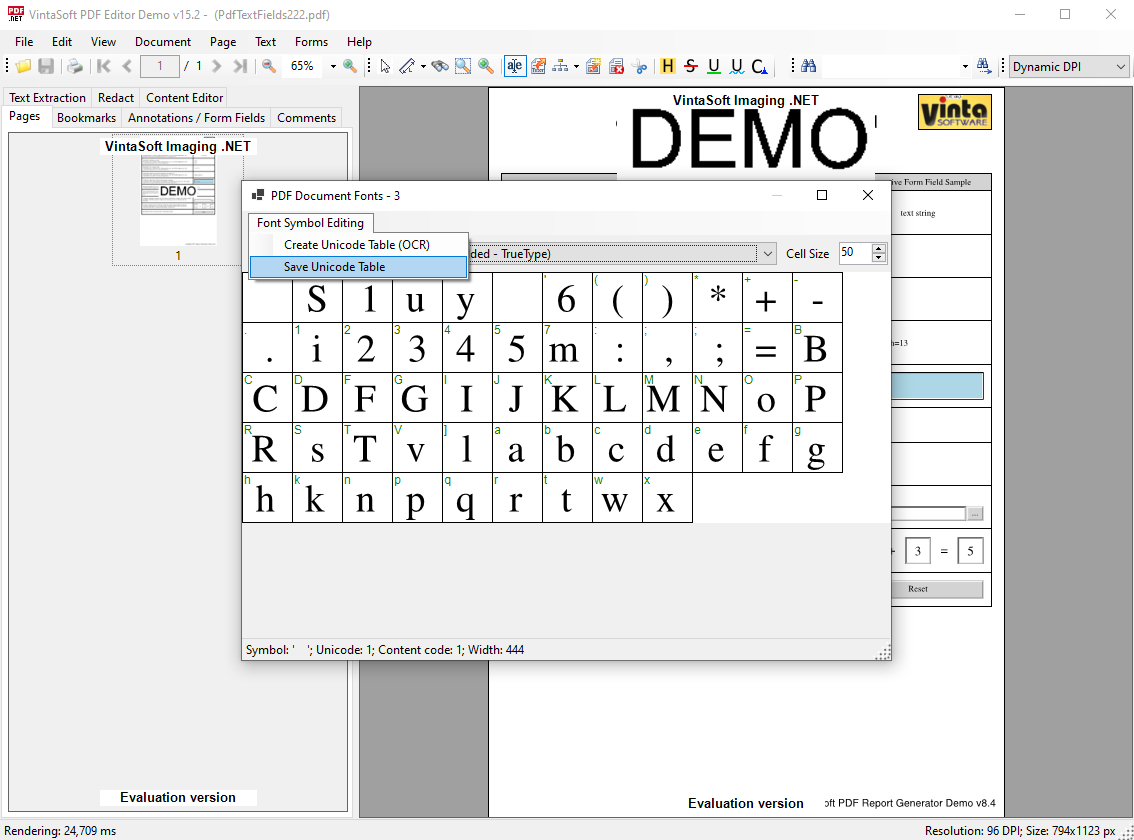
Restore the text encoding of a font in a PDF document using C# application.
September 25, 2026

using System;
using System.Collections.Generic;
using System.Drawing;
using System.Windows.Forms;
using Vintasoft.Imaging;
using Vintasoft.Imaging.Drawing;
using Vintasoft.Imaging.Fonts;
using Vintasoft.Imaging.Ocr;
using Vintasoft.Imaging.Ocr.Results;
using Vintasoft.Imaging.Ocr.Tesseract;
using Vintasoft.Imaging.Pdf;
using Vintasoft.Imaging.Pdf.Content.TextExtraction;
using Vintasoft.Imaging.Pdf.Tree.Fonts;
namespace Vintasoft.Demos
{
internal static class PdfFontExamples
{
/// <summary>
/// Restores text encodings in fonts of PDF document.
/// </summary>
/// <param name="pdfFilename">The filename of PDF document.</param>
public static void RestoreTextEncodingInAllPdfFontsOfPdfDocument(string pdfFilename)
{
// open PDF document
using (PdfDocument pdfDocument = new PdfDocument(pdfFilename))
{
// get fonts of PDF document
PdfFont[] pdfFonts = pdfDocument.GetFonts();
// for each PDF font
for (int i = 0; i < pdfFonts.Length; i++)
{
// restore text encoding in PDF font
RestoreTextEncodingInPdfFont(pdfFonts[i]);
}
// save changed document to a new PDF file
pdfDocument.Save("result.pdf");
}
}
/// <summary>
/// Restores text excoding in PDF font.
/// </summary>
/// <param name="pdfFont">PDF font.</param>
private static void RestoreTextEncodingInPdfFont(PdfFont pdfFont)
{
// get the PDF text symbols from PDF font
PdfTextSymbol[] pdfTextSymbols = PdfTextSymbol.GetFontSymbols(pdfFont);
if (pdfTextSymbols == null)
{
return;
}
// if font contains more than 256 symbols
if (pdfTextSymbols.Length > 256)
{
MessageBox.Show("This demo project does not allow to process PDF font if font contains more than 256 symbols. Please change the code if necessary.");
return;
}
UInt64[] charCodes = new UInt64[pdfTextSymbols.Length];
for (int i = 0; i < pdfTextSymbols.Length; i++)
charCodes[i] = pdfTextSymbols[i].ContentSymbolCode;
// sort text symbols by the symbol content code
Array.Sort(charCodes, pdfTextSymbols);
try
{
// the Unicode overrides
Dictionary<uint, char> unicodeOverrides = new Dictionary<uint, char>();
// create Tesseract OCR engine
using (TesseractOcr tesseractOcr = new TesseractOcr())
{
// initialize OCR engine
OcrEngineSettings ocrEngineSettings = new OcrEngineSettings(new OcrLanguage[] { OcrLanguage.English });
ocrEngineSettings.RecognitionRegionType = RecognitionRegionType.RecognizeSingleBlock;
tesseractOcr.Init(ocrEngineSettings);
// dictionary: PDF text symbol => a rectangle on image, where symbol drawn
Dictionary<PdfTextSymbol, Rectangle> pdfTextSymbolToImageRectMap = new Dictionary<PdfTextSymbol, Rectangle>();
// create image with glyphs of PDF text symbols
using (VintasoftImage imageWithTextSymbols = CreateImageWithGlyphsOfPdfTextSymbols(pdfTextSymbols, ref pdfTextSymbolToImageRectMap))
{
#if DEBUG_FONT_ENCODING
// for debug purposes save the image with glyphs of PDF text symbols
imageWithTextSymbols.Save(string.Format("Font-{0}-symbols.png", pdfFont.FontName));
#endif
// recognizes text in image
OcrPage ocrResult = tesseractOcr.Recognize(imageWithTextSymbols);
// get the dictionary from PDF text symbol to the Unicode symbol
Dictionary<PdfTextSymbol, char> pdfTextSymbolToCharMap = GetPdfTextSymbolToCharMap(pdfFont, ocrResult, pdfTextSymbolToImageRectMap);
// for each PDF text symbol
foreach (PdfTextSymbol pdfTextSymbol in pdfTextSymbolToCharMap.Keys)
{
// get Unicode symbol for PDF text symbol
char unicodeSymbol = pdfTextSymbolToCharMap[pdfTextSymbol];
// if OCR recognized new Unicode symbol for PDF text symbol
if (pdfTextSymbol.Symbol != unicodeSymbol)
{
// save information about new Unicode symbol for PDF text symbol
unicodeOverrides[(uint)pdfTextSymbol.ContentSymbolCode] = unicodeSymbol;
}
}
}
}
// create the dictionary: content code => Unicode symbol
Dictionary<uint, char> contentCodeToUnicodeSymbol = GetContentCodeToUnicodeSymbols(pdfTextSymbols, unicodeOverrides);
// set the Unicode mapping for PDF font
pdfFont.SetUnicodeMapping(contentCodeToUnicodeSymbol);
}
catch (Exception ex)
{
MessageBox.Show("Error: " + ex.Message);
}
}
/// <summary>
/// Creates image with glyphs of PDF text symbols.
/// </summary>
/// <param name="pdfTextSymbols">PDF text symbols.</param>
/// <param name="pdfTextSymbolToImageRectMap">Dictionary: PDF text symbol => a rectangle on image, where symbol drawn.</param>
/// <returns>An image with font symbols.</returns>
private static VintasoftImage CreateImageWithGlyphsOfPdfTextSymbols(
PdfTextSymbol[] pdfTextSymbols,
ref Dictionary<PdfTextSymbol, Rectangle> pdfTextSymbolToImageRectMap)
{
// a string that contains characters, which are available in PDF font
string availableChars = "";
// for each PDF text symbol
foreach (PdfTextSymbol fontSymbol in pdfTextSymbols)
{
// add character to a string with available characters
availableChars += fontSymbol.Symbol;
}
// the size of cell, where symbol is drawn
const int CELL_SIZE = 200;
// calculate the image width
int imageWidth = CELL_SIZE * 8;
// calculate the image height
int imageHeight = CELL_SIZE * (availableChars.Length / 8);
if ((availableChars.Length % 8) != 0)
imageHeight += CELL_SIZE;
imageHeight += CELL_SIZE;
// create image that will contain glyphs of PDF text symbols
VintasoftImage imageWithTextSymbols = new VintasoftImage(imageWidth, imageHeight, PixelFormat.Bgr24);
// create graphics object for image
using (DrawingEngine drawingEngine = imageWithTextSymbols.CreateDrawingEngine())
{
// fill the image
drawingEngine.FillRectangle(Color.FromArgb(255, Color.White), new RectangleF(0, 0, imageWidth, imageHeight));
using (IDrawingBrush brush = drawingEngine.DrawingFactory.CreateSolidBrush(Color.FromArgb(255, Color.Black)))
{
using (IDrawingPen pen = drawingEngine.DrawingFactory.CreatePen(brush, 1))
{
// for each PDF text symbol
for (int i = 0; i < pdfTextSymbols.Length; i++)
{
PdfTextSymbol fontSymbol = pdfTextSymbols[i];
// get the outline of PDF text symbol
FontSymbolOutline fontSymbolOutline = fontSymbol.GetOutline();
// get graphics path that represents outline of PDF text symbol
IGraphicsPath graphicsPath = fontSymbolOutline.GetGraphicsPath();
// if graphics path exists
if (graphicsPath != null)
{
// calculate the position of graphics path on image
int x = (i % 8) * CELL_SIZE + CELL_SIZE;
int y = (i / 8) * CELL_SIZE + CELL_SIZE;
// save the transform for drawing engine
drawingEngine.SaveTransform();
// apply necessary transform to the drawing engine
AffineMatrix transform = new AffineMatrix();
transform.Translate(x, y);
transform.ScalePrepend(50f / 1000, 50f / 1000);
drawingEngine.MultiplyTransformPrepend(transform);
// fill the graphics path on image
drawingEngine.FillPath(brush, graphicsPath);
// restore the transform for drawing engine
drawingEngine.RestoreTransform();
// save information about position of PDF text symbol on image
pdfTextSymbolToImageRectMap.Add(pdfTextSymbols[i], new Rectangle(x, y, CELL_SIZE, CELL_SIZE));
}
}
}
}
}
return imageWithTextSymbols;
}
/// <summary>
/// Returns the dictionary from content code to the Unicode symbol for selected PDF font.
/// </summary>
/// <param name="textSymbols">The text symbols.</param>
/// <param name="unicodeOverrides">The Unicode overrides.</param>
/// <returns>The dictionary from content code to the Unicode symbol for selected PDF font.</returns>
private static Dictionary<uint, char> GetContentCodeToUnicodeSymbols(PdfTextSymbol[] textSymbols, Dictionary<uint, char> unicodeOverrides)
{
Dictionary<uint, char> result = new Dictionary<uint, char>();
foreach (PdfTextSymbol symbol in textSymbols)
result[(uint)symbol.ContentSymbolCode] = symbol.Symbol;
foreach (KeyValuePair<uint, char> item in unicodeOverrides)
result[item.Key] = item.Value;
return result;
}
/// <summary>
/// Returns the dictionary from PDF text symbol to the Unicode symbol.
/// </summary>
/// <param name="pdfFont">PDF font.</param>
/// <param name="ocrResult">OCR result.</param>
/// <param name="pdfTextSymbolToImageRectMap">The dictionary from PDF text symbol to the image rectangle.</param>
/// <returns>The dictionary from PDF text symbol to the Unicode symbol.</returns>
private static Dictionary<PdfTextSymbol, char> GetPdfTextSymbolToCharMap(
PdfFont pdfFont,
OcrPage ocrResult,
Dictionary<PdfTextSymbol, Rectangle> pdfTextSymbolToImageRectMap)
{
// Dictionary: PDF text symbol => Unicode char
Dictionary<PdfTextSymbol, char> pdfTextSymbolToCharMap = new Dictionary<PdfTextSymbol, char>();
// Dictionary: PDF text symbol => char bounding box
Dictionary<PdfTextSymbol, Rectangle> pdfTextSymbolToCharBoundingBoxMap = new Dictionary<PdfTextSymbol, Rectangle>();
// for each region in OCR result
foreach (OcrTextRegion ocrRegion in ocrResult.Regions)
{
// for each paragraph in region' paragraphs
foreach (OcrParagraph ocrParagraph in ocrRegion.Paragraphs)
{
// for each text line in text lines of paragraph
foreach (OcrTextLine ocrTextLine in ocrParagraph.TextLines)
{
// for each word in words of text line
foreach (OcrWord ocrWord in ocrTextLine.Words)
{
// for each OCR symbol in word's symbols
foreach (OcrSymbol ocrSymbol in ocrWord.Symbols)
{
// get the bounding box of OCR symbol
Rectangle ocrSymbolBoundingBox = ocrSymbol.GetBoundingBox();
// the maximum area for intersection rectangle between the bounding box of OCR symbol and bounding box of PDF text symbol
int intersectionRectAreaMax = 0;
// for each PDF text symbol in dictionary with bounding boxes
foreach (PdfTextSymbol pdfTextSymbol in pdfTextSymbolToImageRectMap.Keys)
{
// get the intersection rectangle between the bounding box of OCR symbol and bounding box of PDF text symbol
Rectangle intersectionRect = Rectangle.Intersect(ocrSymbolBoundingBox, pdfTextSymbolToImageRectMap[pdfTextSymbol]);
// get the area of intersection rectangle
int intersectionRectArea = intersectionRect.Width * intersectionRect.Height;
// if the area of intersection rectangle is greater than the maximum area for intersection rectangle
if (intersectionRectArea > intersectionRectAreaMax)
{
// if OCR symbol contains only 1 text char
if (ocrSymbol.Text.Length == 1)
{
// if we do not have information about Unicode char for PDF text symbol
if (!pdfTextSymbolToCharMap.ContainsKey(pdfTextSymbol))
{
// save information about Unicode char for PDF text symbol
pdfTextSymbolToCharMap.Add(pdfTextSymbol, ocrSymbol.Text[0]);
// save information about char bounding box for PDF text symbol
pdfTextSymbolToCharBoundingBoxMap.Add(pdfTextSymbol, ocrSymbolBoundingBox);
// update the maximum area for intersection rectangle
intersectionRectAreaMax = intersectionRectArea;
}
}
}
}
}
}
}
}
}
#if DEBUG_FONT_ENCODING
// create image that contains glyph and Unicode symbol for each recognized PDF text symbol
string imageWithTextSymbolsName = string.Format("Font-{0}-symbols.png", pdfFont.FontName);
using (VintasoftImage image = new VintasoftImage(imageWithTextSymbolsName))
{
using (DrawingEngine drawingEngine = image.CreateDrawingEngine())
{
foreach (PdfTextSymbol pdfTextSymbol1 in pdfTextSymbolToCharMap.Keys)
{
drawingEngine.DrawString(
string.Format("{0}", pdfTextSymbolToCharMap[pdfTextSymbol1]),
drawingEngine.DrawingFactory.CreateSystemFont("Arial", 16, false, false),
drawingEngine.DrawingFactory.CreateSolidBrush(Color.Red),
new PointF(pdfTextSymbolToImageRectMap[pdfTextSymbol1].X, pdfTextSymbolToImageRectMap[pdfTextSymbol1].Y));
drawingEngine.DrawRectangle(drawingEngine.DrawingFactory.CreatePen(Color.Green), pdfTextSymbolToImageRectMap[pdfTextSymbol1]);
drawingEngine.DrawRectangle(drawingEngine.DrawingFactory.CreatePen(Color.Blue), pdfTextSymbolToCharBoundingBoxMap[pdfTextSymbol1]);
}
}
image.Save(string.Format("Font-{0}-symbols-OCR.png", pdfFont.FontName));
}
#endif
return pdfTextSymbolToCharMap;
}
}
}