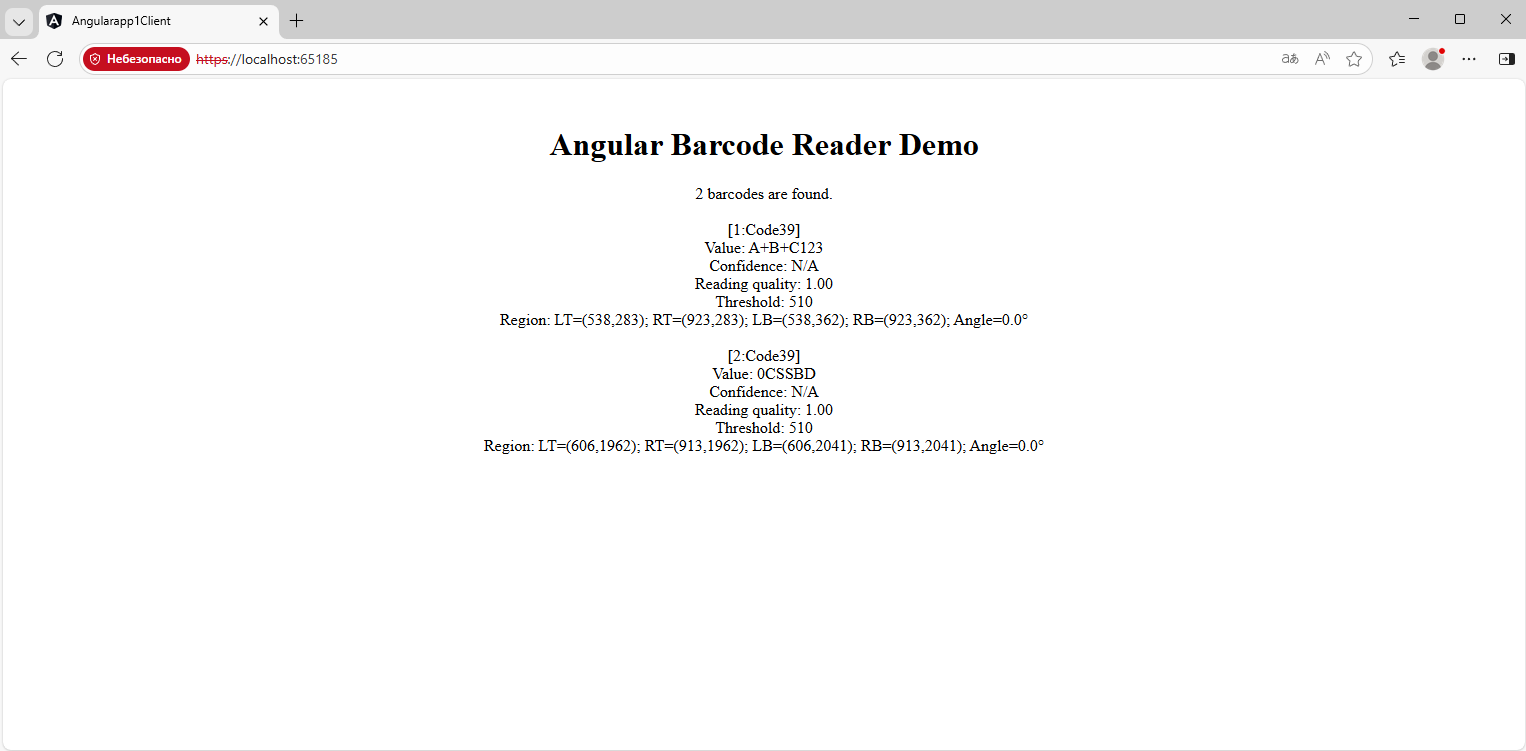
Recognize barcodes in image in "Angular and ASP.NET Core" application
In This Topic
This tutorial shows how to create a blank "Angular and ASP.NET Core" application in Visual Studio .NET 2026 and recognize barcodes in image in "Angular and ASP.NET Core" application.
Here are steps, which must be done:
-
Create a blank "Angular and ASP.NET Core" application.
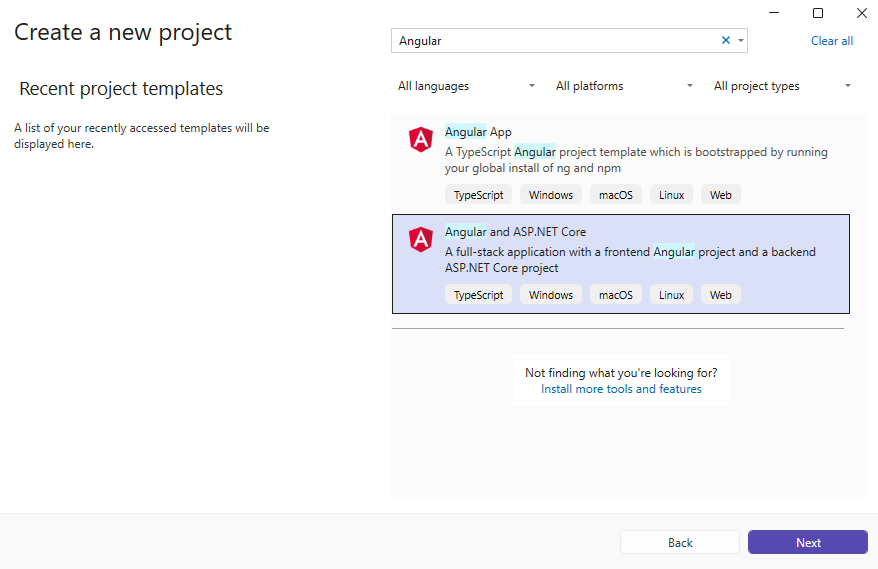
Open Visual Studio .NET 2026 and create a new project, of "Angular and ASP.NET Core" application type:
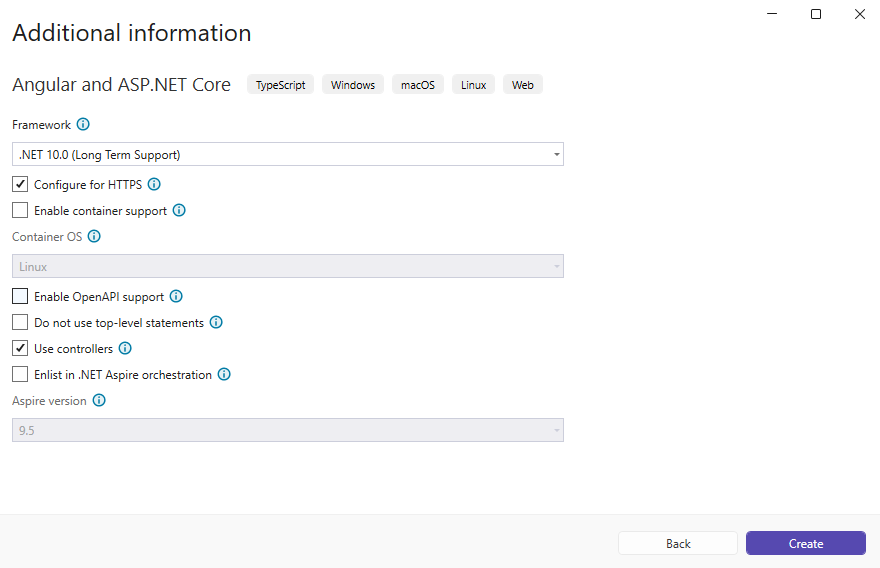
Configure the project to use .NET 10.0:
-
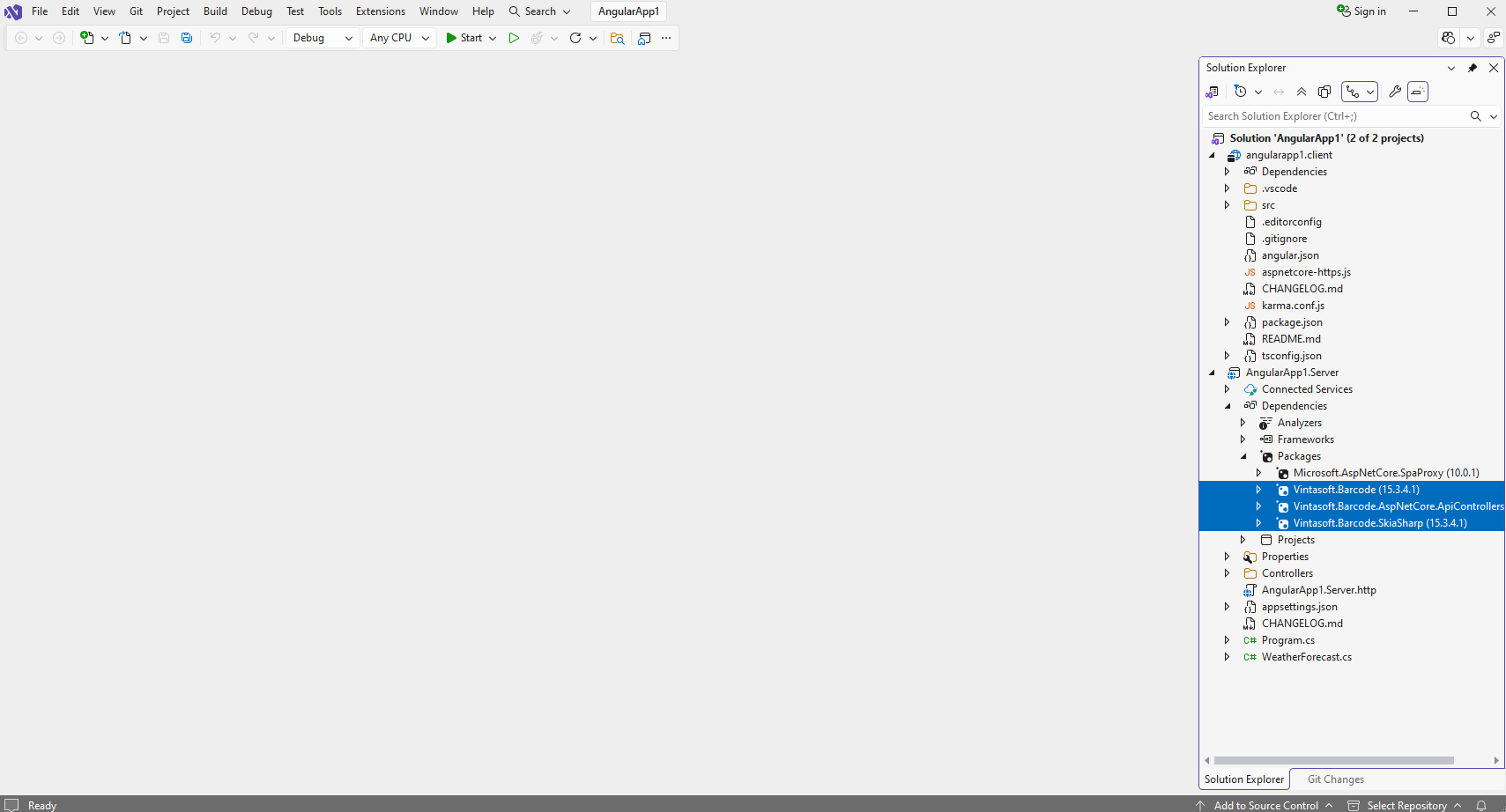
"AngularApp1.Server" project: Add references to the Vintasoft assemblies.
Add references to the nuget-packages Vintasoft.Barcode, Vintasoft.Barcode.SkiaSharp and Vintasoft.Barcode.AspNetCore.ApiControllers to the "AngularApp1.Server" project.
If you want to use AI for detection of barcode regions, add reference to the nuget-packages Vintasoft.Barcode.AI.1D, Vintasoft.Barcode.AI.2D, Microsoft.ML.OnnxRuntime v1.23.0, Microsoft.ML.OnnxRuntime.Managed v1.23.0 to the ASP.NET Core project.
-
"AngularApp1.Server" project: Create web service for barcode recognition.
-
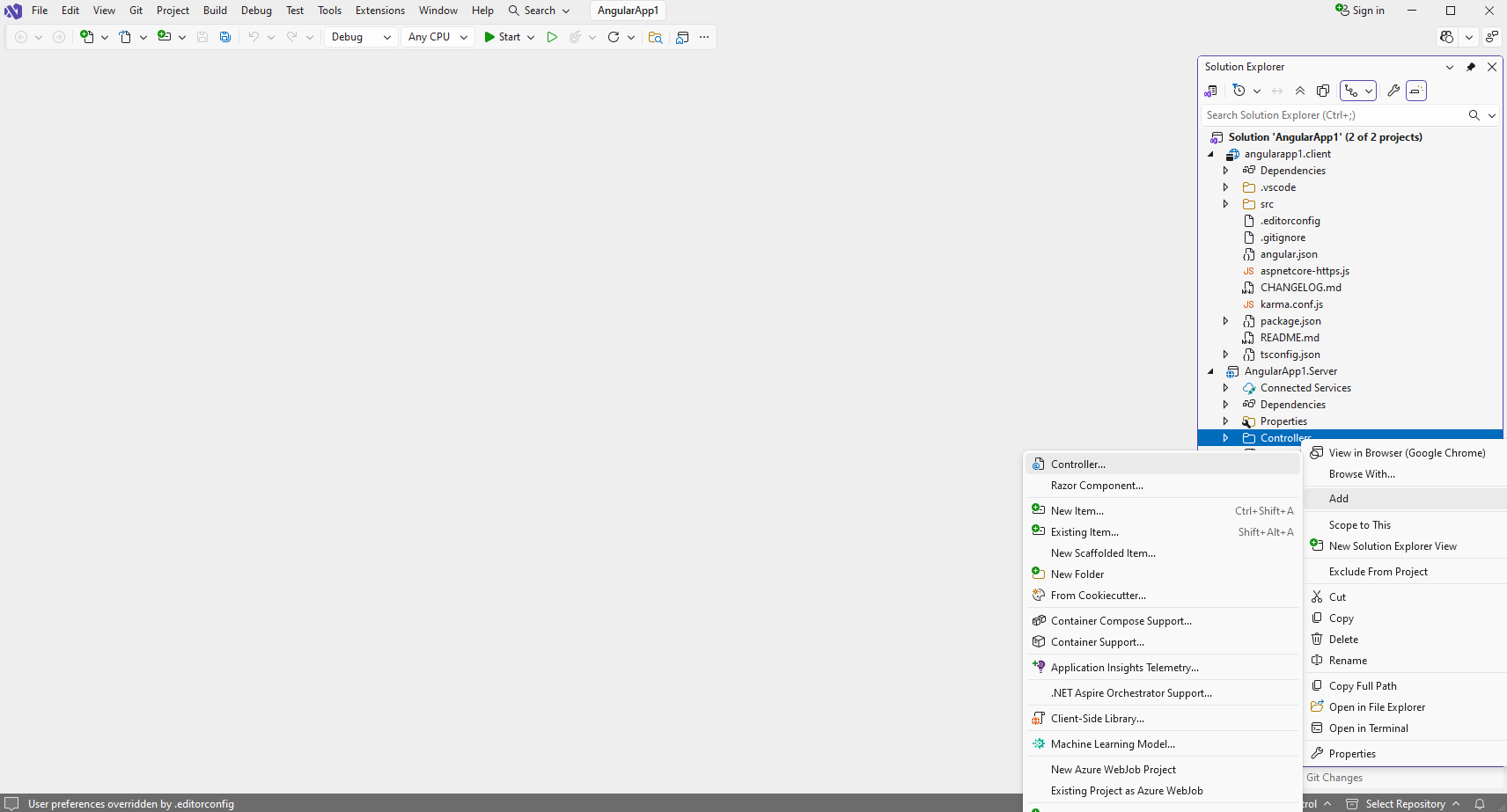
Press the right mouse button on the "Controllers" folder and select the "Add => Controller..." menu from context menu
-
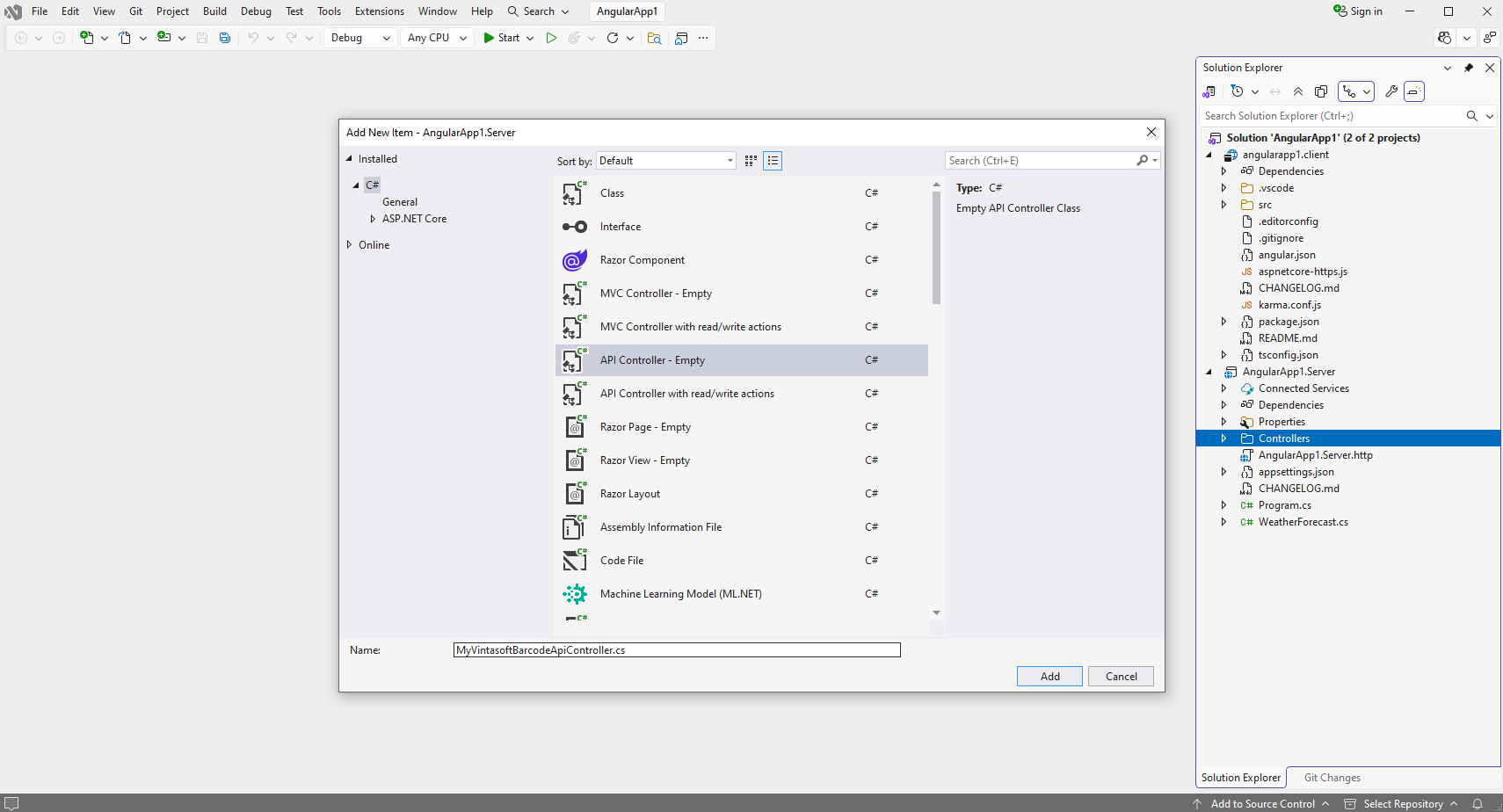
Select Empty API controller template, set the controller name to the "MyVintasoftBarcodeApiController" and press the "Add" button
-
Specify that MyVintasoftBarcodeApiController class is derived from Vintasoft.Barcode.AspNetCore.ApiControllers.VintasoftBarcodeApiController class
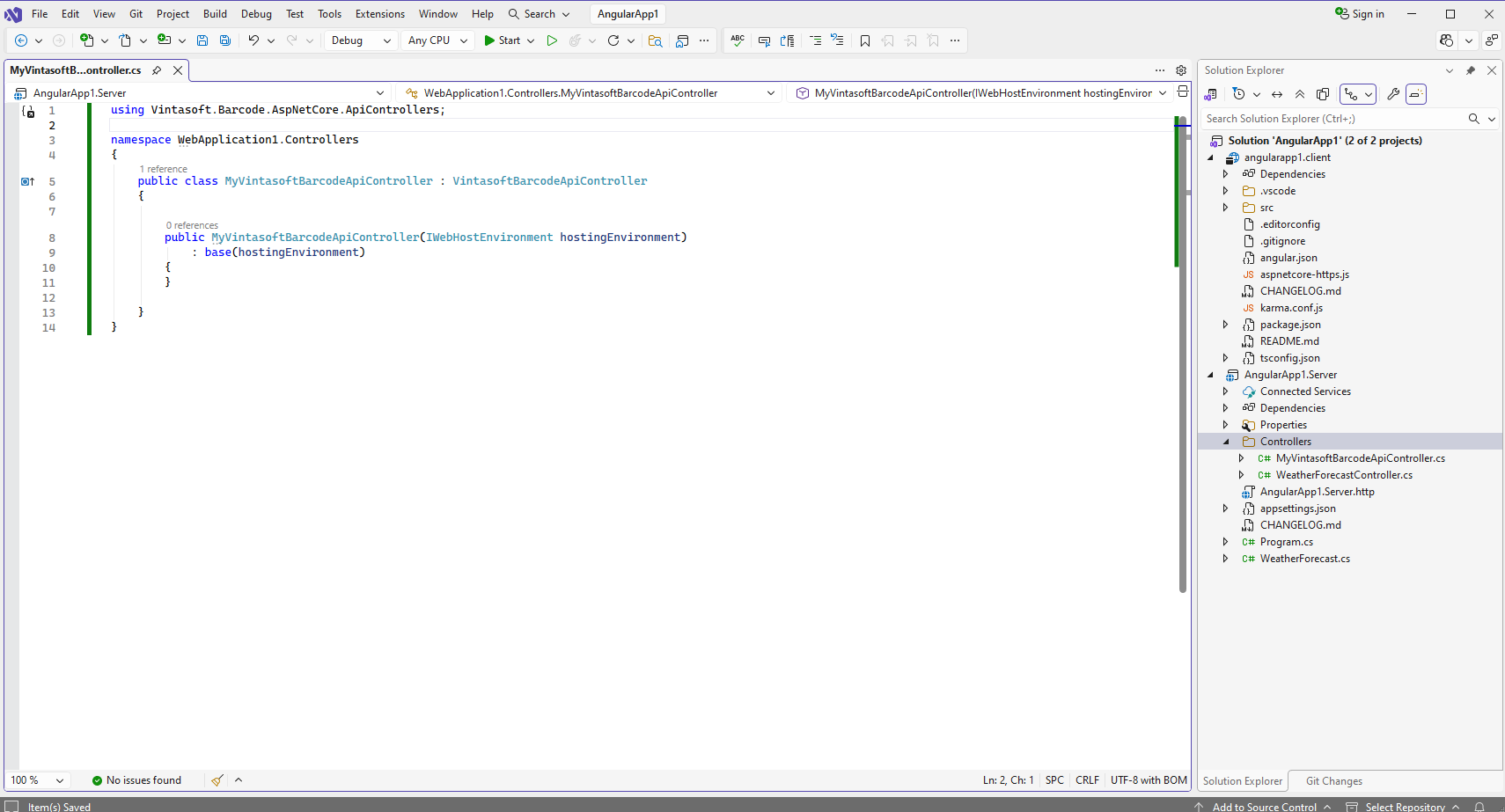
Here are source codes of MyVintasoftBarcodeApiController class:
-
Press the right mouse button on the "Controllers" folder and select the "Add => Controller..." menu from context menu
-
"AngularApp1.Server" project: Add reference to the nuget-package "Microsoft.AspNetCore.Mvc.NewtonsoftJson" for deserialization of barcode recognition results.
-
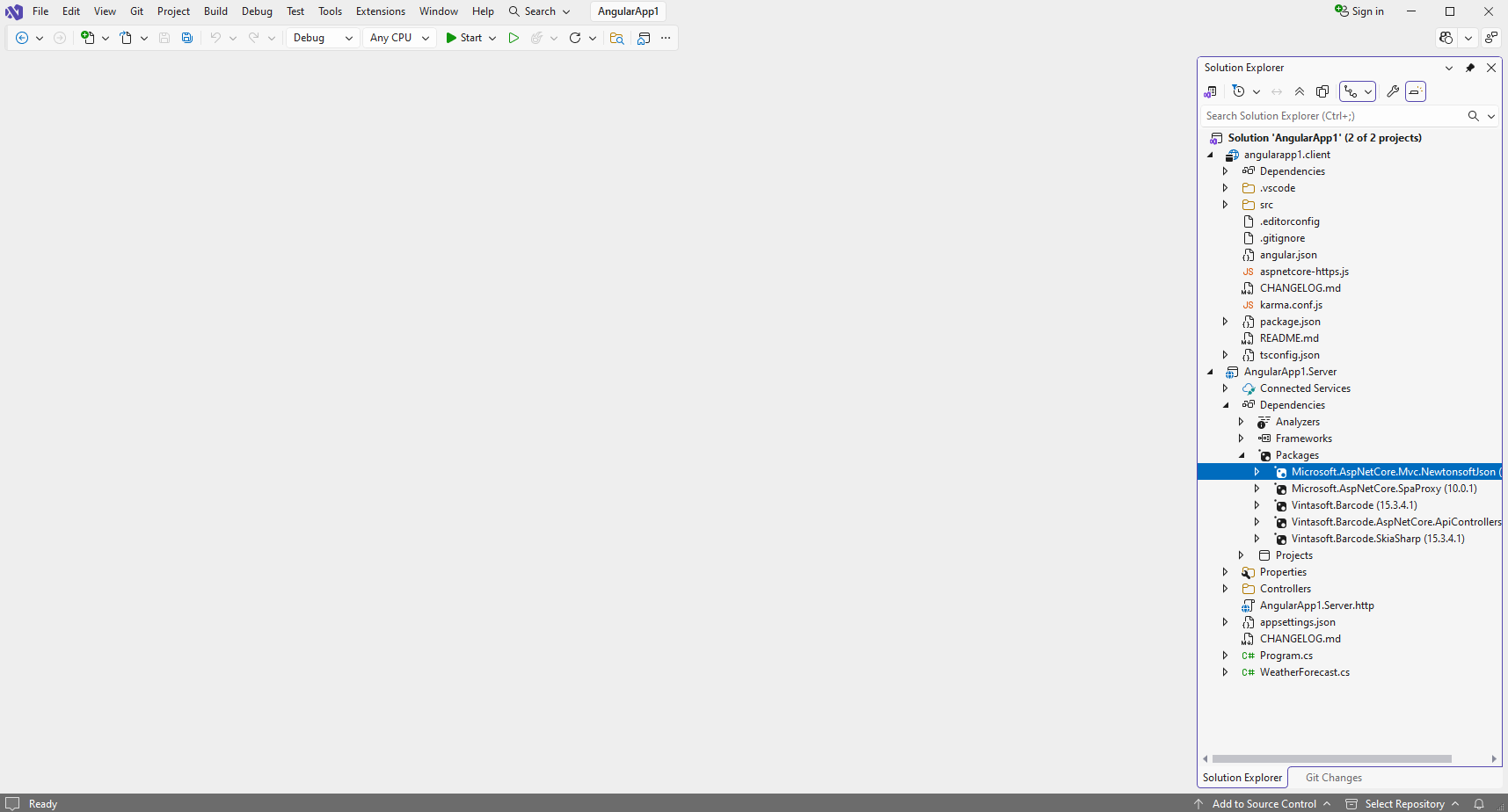
Add reference to the nuget-package Microsoft.AspNetCore.Mvc.NewtonsoftJson to the "AngularApp1.Server" project:
-
Open the "Program.cs" file and add code line "builder.Services.AddControllersWithViews().AddNewtonsoftJson();". This is necessary for correct deserialization of barcode recognition results.
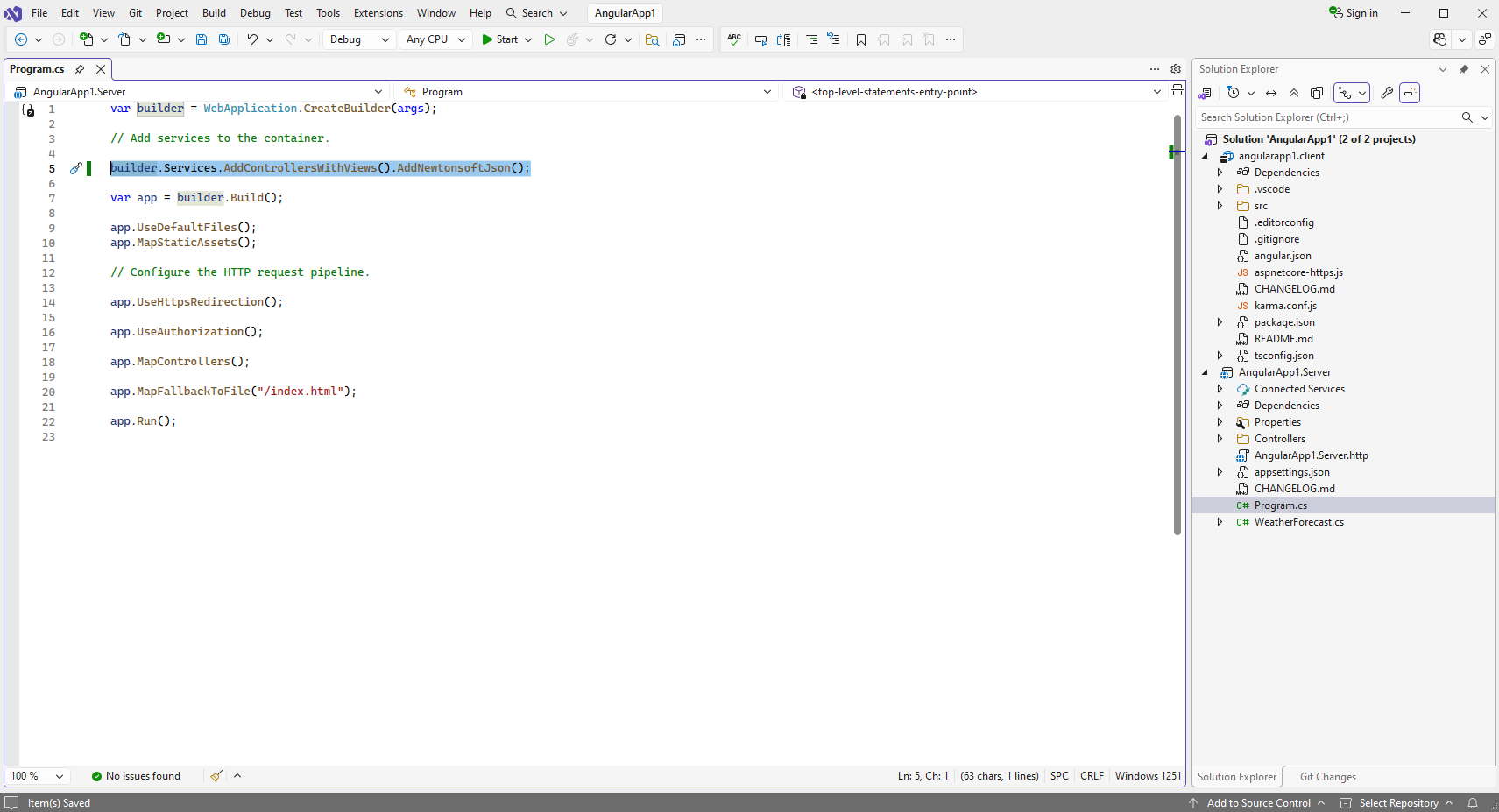
Here are source codes of Program.cs:
-
Add reference to the nuget-package Microsoft.AspNetCore.Mvc.NewtonsoftJson to the "AngularApp1.Server" project:
-
"AngularApp1.Server" project: Specify image file that contains barcodes.
Create folder "wwwroot\UploadedImageFiles\SessionID" in "AngularApp1.Server" project and copy PNG-image file with barcodes from Github to the created folder. We will recognize barcodes in this image. -
"AngularApp1.Server" project: Delete files, which are not necessary.
Delete files "WeatherForecast.cs" and "Controllers\WeatherForecastController.cs" in "AngularApp1.Server" project - the WeatherForecast Web API controller is not necessary in this demo. "angularapp1.client" project: Compile the solution for restoring TypeScript-dependencies in "angularapp1.client" project.
-
"angularapp1.client" project: Add JavaScript files and TypeScript modules to the "angularapp1.client" project.
-
Add the "assets" folder to the "src\app\" folder in "angularapp1.client" project.
-
Copy JavaScript-file "Vintasoft.Shared.js" from Github in "angularapp1.client" project.
Copy TypeScript-file "Vintasoft.Shared.d.ts" from Github in "angularapp1.client" project.
Copy JavaScript-file "Vintasoft.Barcode.js" from Github in "angularapp1.client" project.
Copy TypeScript-file "Vintasoft.Barcode.d.ts" from Github in "angularapp1.client" project.
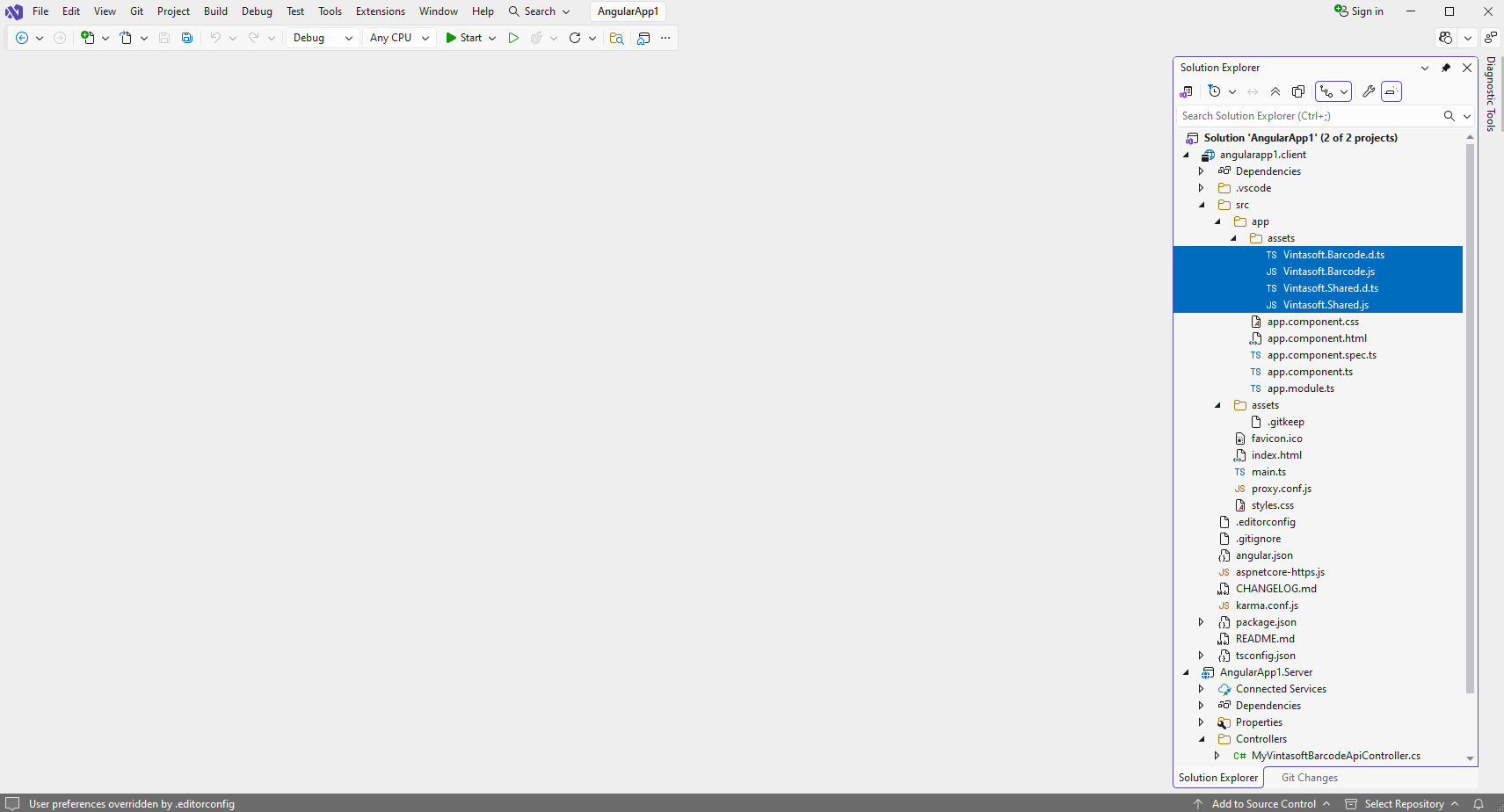
-
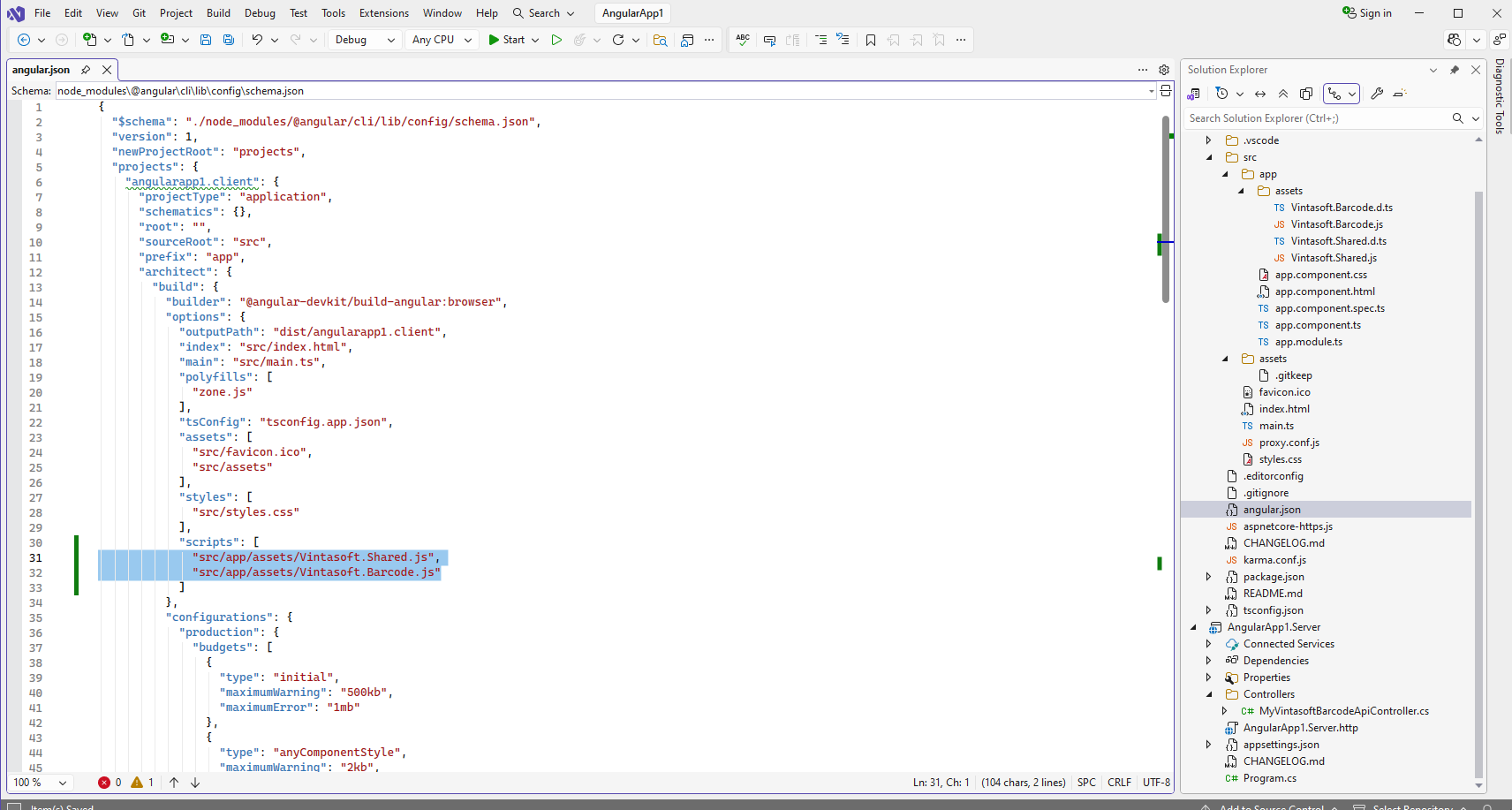
Add references to Vintasoft JavaScript files to the "projects => angularapp1.client => architect => build => options => scripts" section in "angular.json" file in "angularapp1.client" project:
-
Add the "assets" folder to the "src\app\" folder in "angularapp1.client" project.
-
"angularapp1.client" project: Create Angular component that recognizes barcodes in image.
-
Open "src\app\app.component.html" file in "angularapp1.client" project, clear the file, add HTML markup (page header and image element that will display barcode recognition result) to the "app.component.html" file:
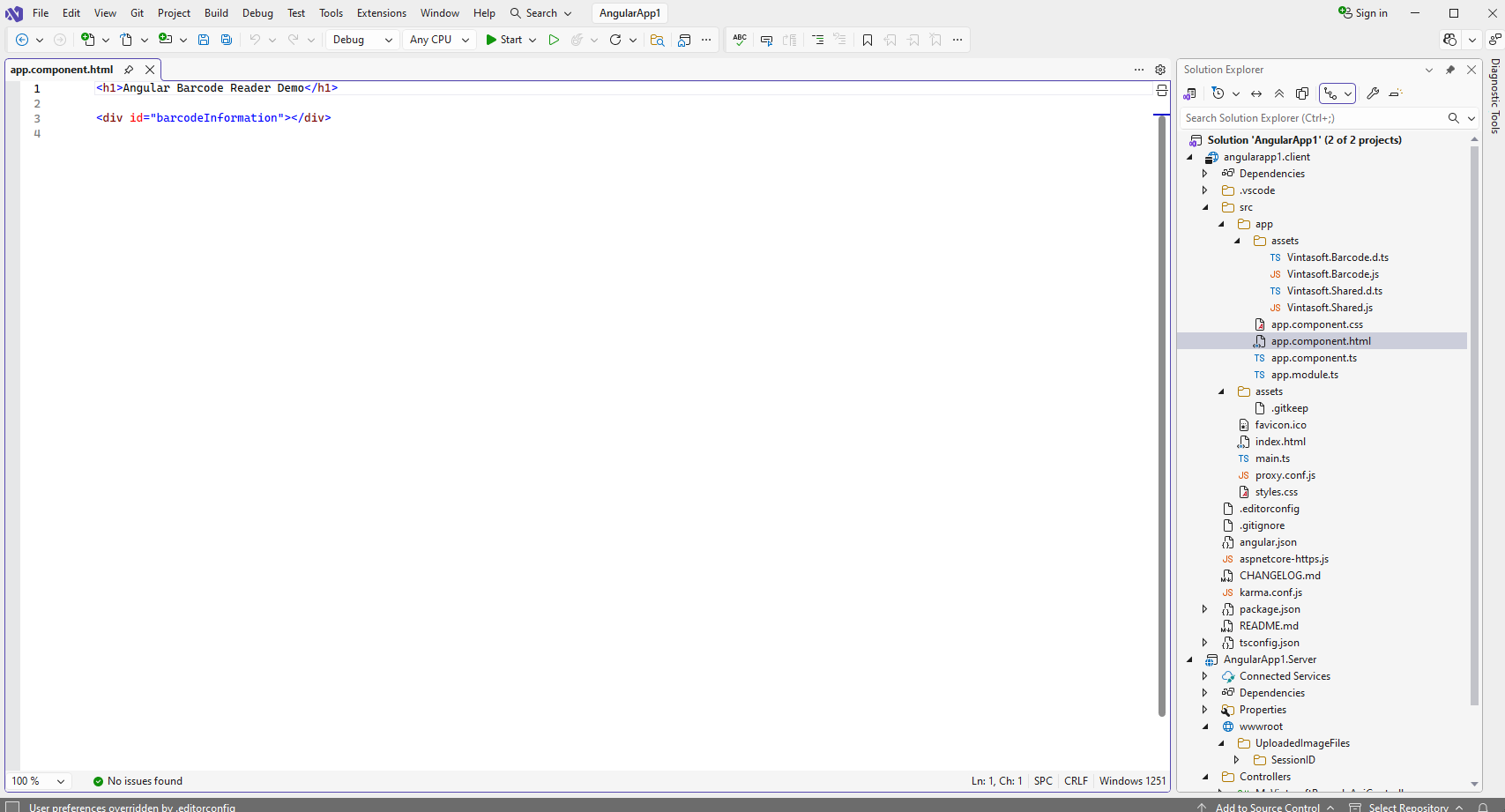
-
Open "src\app\app.component.ts" file in "angularapp1.client" project, clear the file, add TypeScript code to the "app.component.ts" file:
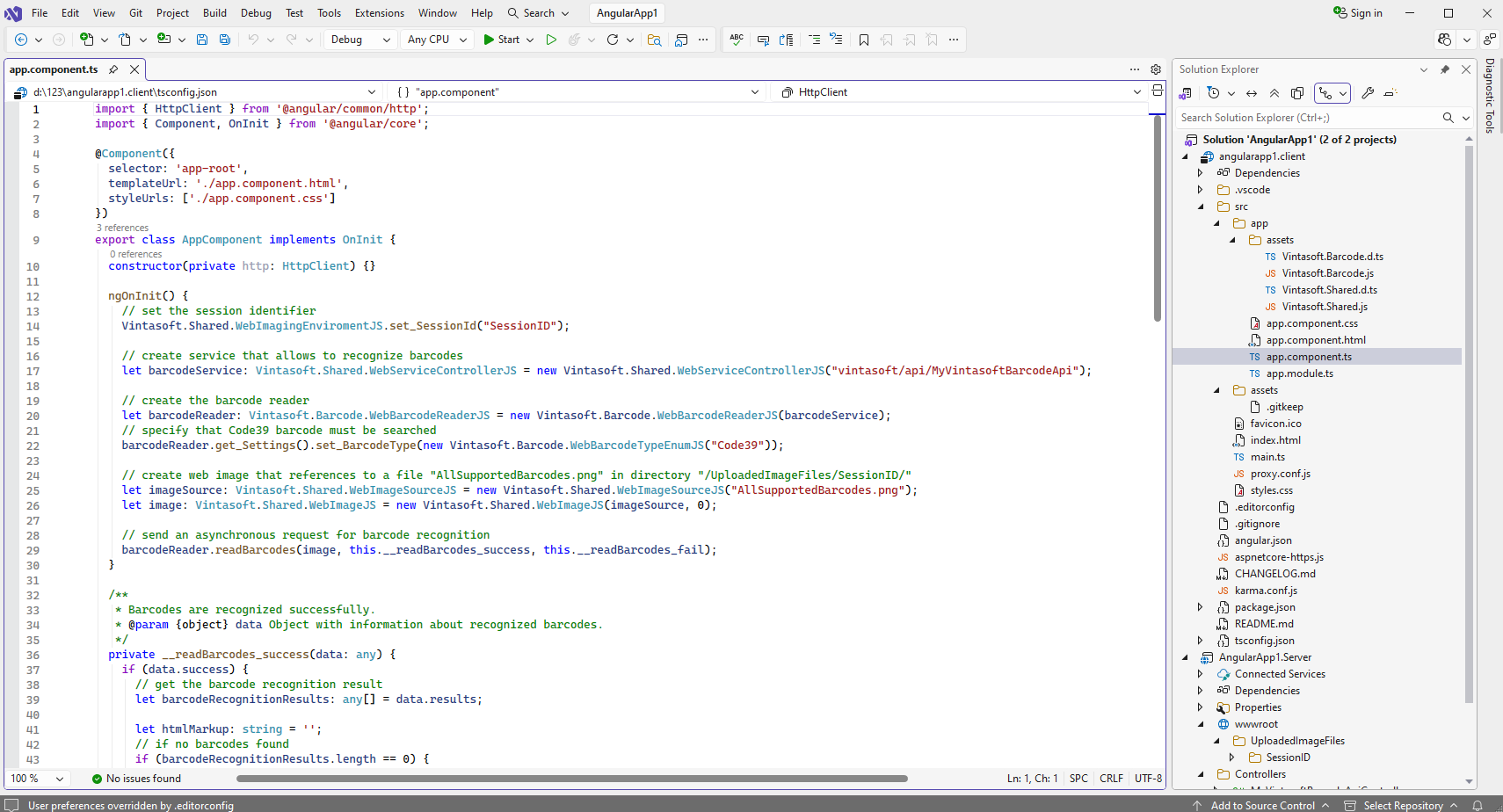
-
Delete file "src\app\app.component.spec.ts" in "angularapp1.client" project - file is not necessary.
-
Open "src\proxy.conf.js" file in "angularapp1.client" project and specify that Angular aplication can have access to the ASP.NET Core Web API controller "/vintasoft/api/MyVintasoftBarcodeApi/" in "AngularApp1.Server" project:
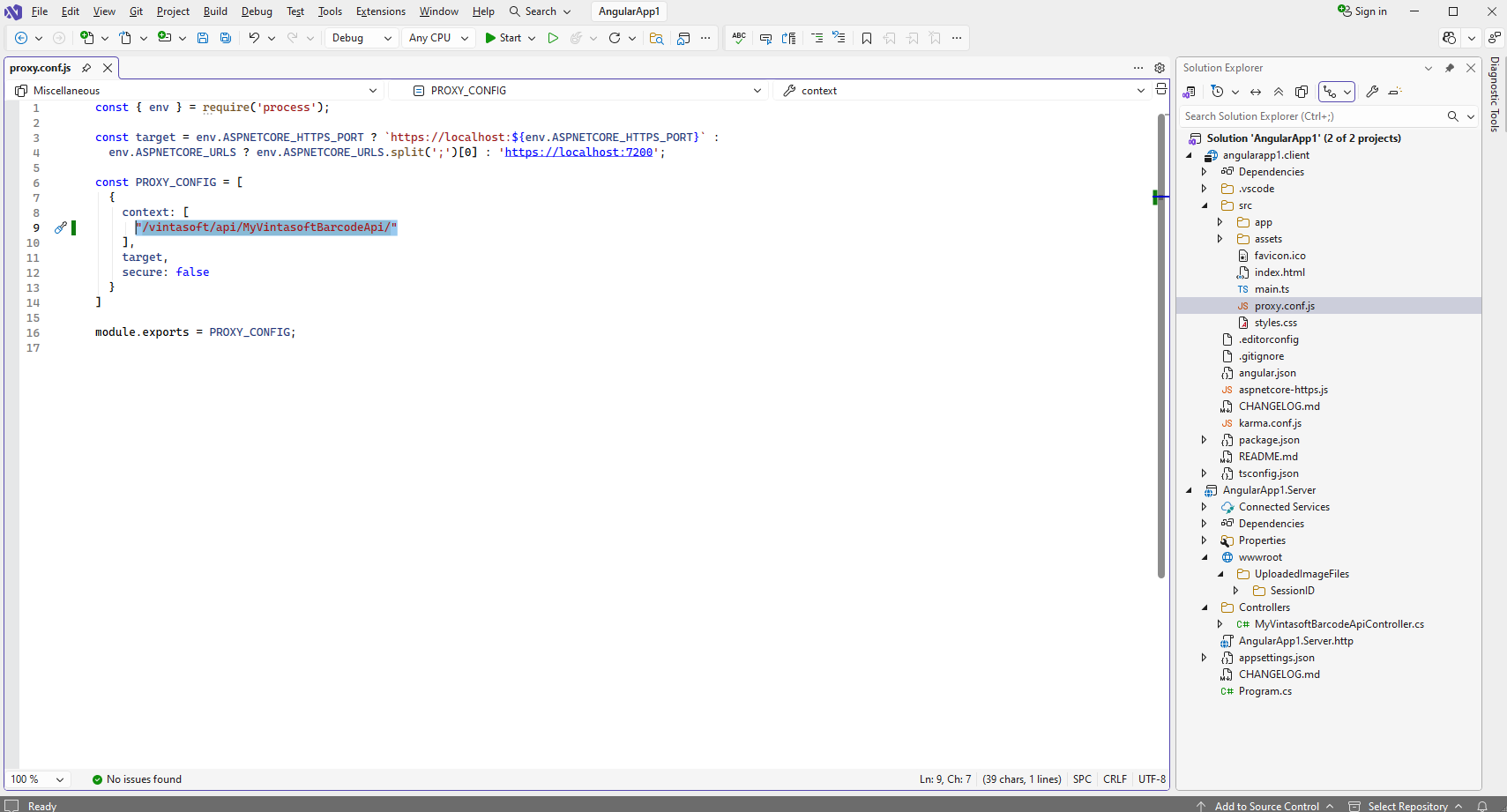
-
Open "src\app\app.component.html" file in "angularapp1.client" project, clear the file, add HTML markup (page header and image element that will display barcode recognition result) to the "app.component.html" file:
-
Run the "Angular and ASP.NET Core application" and see the result.