Render HTML page
In This Topic
VintaSoft Imaging .NET SDK can render HTML page.
SDK supports the following HTML-tags: a, abbr, acronym, area, article, b, base, basefont, big, blockquote, body, br, caption, center, circle, clipPath, code, col, colgroup, dd, defs, div, dl, dt, ellipse, em, embed, fieldset, figcaption, figure, font, footer, form, frame, g, h1, h2, h3, h4, h5, h6, head, header, hr, html, i, iframe, image, img, input, isindex, label, legend, li, line, linearGradient, link, map, marker, mask, meta, noscript, object, ol, optgroup, option, p, param, path, polygon, polyline, pre, q, rect, s, script, section, select, small, span, stop, strike, strong, style, sub, sup, svg, table, tbody, td, text, textarea, tfoot, th, thead, title, tr, tspan, tt, u, ul, use.
SDK supports the following CSS-attributes: align-items, background, background-attachment, background-color, background-image, background-position, background-position-x, background-position-y, background-repeat, border, border-bottom, border-bottom-color, border-bottom-left-radius, border-bottom-right-radius, border-bottom-style, border-bottom-width, border-collapse, border-color, border-left, border-left-color, border-left-style, border-left-width, border-radius, border-right, border-right-color, border-right-style, border-right-width, border-style, border-top, border-top-color, border-top-left-radius, border-top-right-radius, border-top-style, border-top-width, border-width, bottom, clip-path, clip-rule, color, column-gap, content, cx, cy, d, display, fill, fill-opacity, fill-rule, flex-direction, flex-wrap, float, font, font-family, font-size, font-style, font-variant, font-weight, gap, height, justify-content, left, letter-spacing, line-height, list-style-type, margin, margin-block, margin-block-end, margin-block-start, margin-bottom, margin-inline, margin-inline-end, margin-inline-start, margin-left, margin-right, margin-top, marker, marker-end, marker-mid, marker-start, mask, opacity, order, padding, padding-bottom, padding-inline, padding-inline-end, padding-inline-start, padding-left, padding-right, padding-top, page-break-before, position, r, right, row-gap, rx, ry, stop-color, stop-opacity, stroke, stroke-dasharray, stroke-dashoffset, stroke-linecap, stroke-linejoin, stroke-miterlimit, stroke-opacity, stroke-width, table-layout, text-align, text-anchor, text-decoration, text-decoration-color, text-decoration-line, text-decoration-style, text-decoration-thickness, text-indent, text-transform, text-wrap-mode, top, transform, vertical-align, white-space, white-space-collapse, width, x, y, z-index.
HTML page can contain links to the external resources (CSS-files, image files, ...). By default the VintaSoft Imaging .NET SDK allows to load external resources, i.e. VintaSoft Imaging .NET SDK renders HTML page with external css-styles and images.
Here is a screenshot of VintaSoft WPF image viewer with HTML page (https://www.vintasoft.com/index.html) that is rendered with css-styles and images:
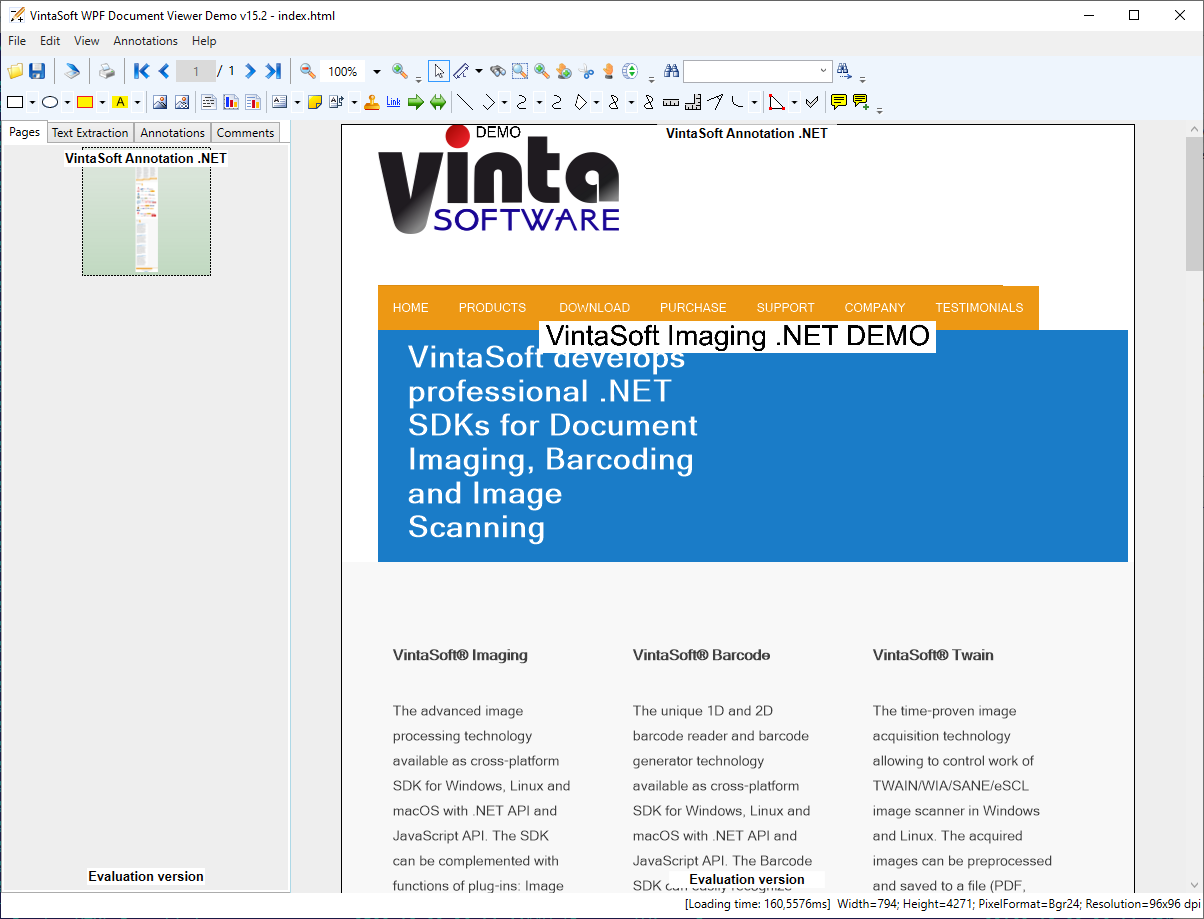
VintaSoft Imaging .NET SDK allows to enable/disable loading of external resources, i.e. render HTML page with/without external css-styles and images.
Here is a screenshot of VintaSoft WPF image viewer with HTML page (https://www.vintasoft.com/index.html) that is rendered without external css-styles and images:
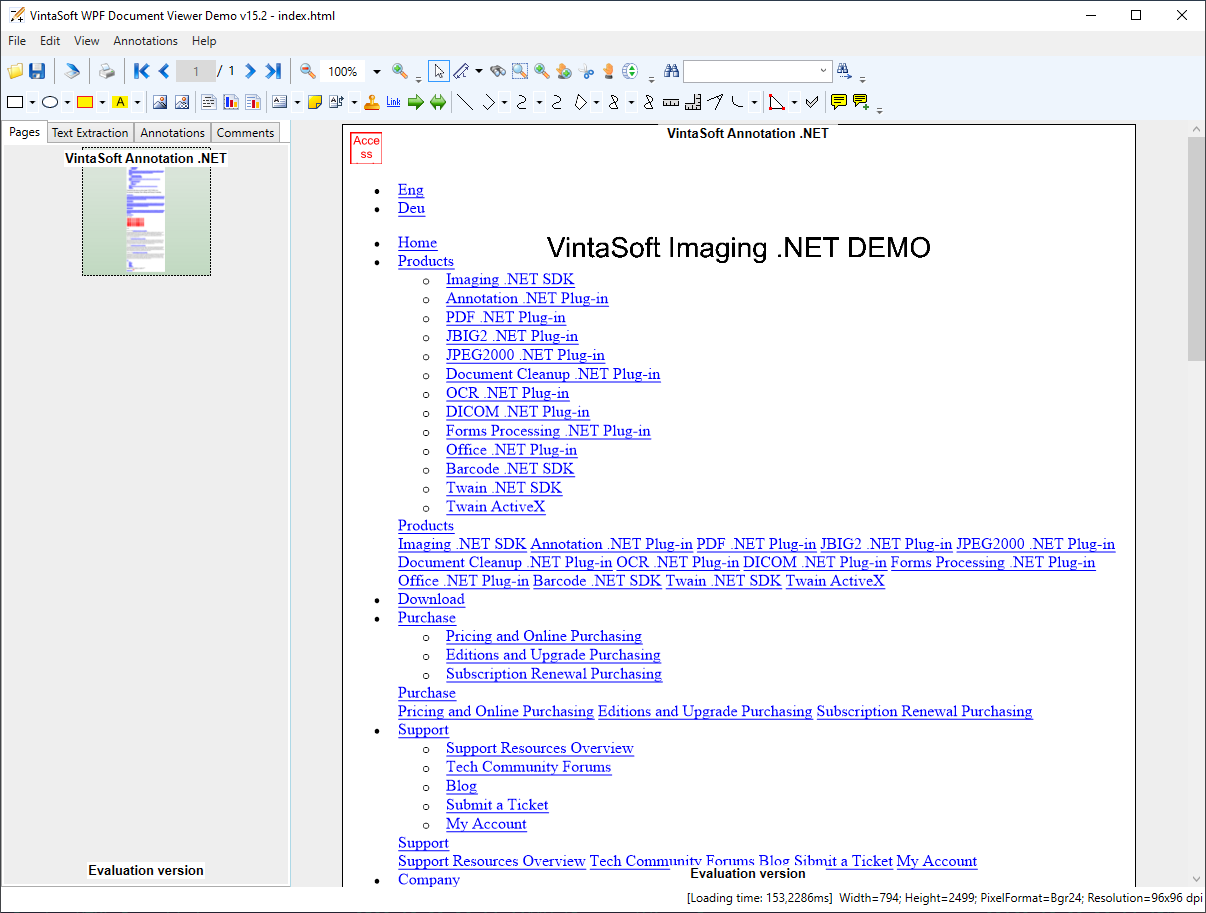
If it is necessary to enable/disable loading of all external resources, the following steps should be made:
- Set value of the [ExternalResourceManager.AllowAccessToExternalResources] property to True/False.
Here is C# code that demonstrates how to enable loading of all external resources in VintaSoft WPF image viewer:
If it is necessary to enable/disable loading of external resources and manage access to the external resources, the following steps should be made:
- Set value of the [ExternalResourceManager.AllowAccessToExternalResources] property to True/False.
- Subscribe to the [ExternalResourceManager.VerifyResourceAccess] event and manage access to the external resources.
Here is C# code that demonstrates how to enable loading of external resources in VintaSoft WPF image viewer and allow access to the external resources on "https://www.vintasoft.com" only: