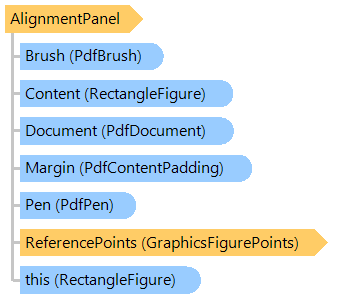
Represents a panel with elements alignment.
Here is an example that shows how to draw an image figure on PDF page:
Public Shared Sub CreatePdfDocument(pdfFilename As String, imageFilename As String)
    ' create PDF document
    Using document As New Vintasoft.Imaging.Pdf.PdfDocument(pdfFilename, Vintasoft.Imaging.Pdf.PdfFormat.Pdf_14)
        ' open image
        Using image As New Vintasoft.Imaging.VintasoftImage(imageFilename)
            ' add new page to PDF document
            Dim page As Vintasoft.Imaging.Pdf.Tree.PdfPage = document.Pages.Add(Vintasoft.Imaging.PaperSizeKind.A4)
            ' add image resource to PDF document
            Dim imageResource As New Vintasoft.Imaging.Pdf.Tree.PdfImageResource(document, image, Vintasoft.Imaging.Pdf.PdfCompression.Auto)

            ' create layout panel
            Dim rootLayout As New Vintasoft.Imaging.Pdf.Drawing.GraphicsFigures.AlignmentPanel()
            rootLayout.Location = page.MediaBox.Location
            rootLayout.Size = page.MediaBox.Size
            ' set layout panel margin (5 mm)
            Dim margin As Double = Vintasoft.Imaging.Utils.UnitOfMeasureConverter.ConvertToPoints(5, Vintasoft.Imaging.UnitOfMeasure.Millimeters)
            rootLayout.Margin = New Vintasoft.Imaging.Pdf.Drawing.PdfContentPadding(margin)

            ' create image figure
            Dim imageFigure As New Vintasoft.Imaging.Pdf.Drawing.GraphicsFigures.ImageFigure(imageResource)
            ' maintain aspect ratio of image
            imageFigure.MaintainAspectRatio = True
            ' add image figure to layout panel
            rootLayout.Add(imageFigure)

            ' draw figures on graphics of PDF page
            Using g As Vintasoft.Imaging.Pdf.Drawing.PdfGraphics = page.GetGraphics()
                rootLayout.Draw(g)
            End Using

            ' save document changes
            document.SaveChanges()
        End Using
    End Using
End Sub
public static void CreatePdfDocument(string pdfFilename, string imageFilename)
{
    // create PDF document
    using (Vintasoft.Imaging.Pdf.PdfDocument document =
        new Vintasoft.Imaging.Pdf.PdfDocument(pdfFilename, Vintasoft.Imaging.Pdf.PdfFormat.Pdf_14))
    {
        // open image
        using (Vintasoft.Imaging.VintasoftImage image = new Vintasoft.Imaging.VintasoftImage(imageFilename))
        {
            // add new page to PDF document
            Vintasoft.Imaging.Pdf.Tree.PdfPage page = document.Pages.Add(
                Vintasoft.Imaging.PaperSizeKind.A4);
            // add image resource to PDF document
            Vintasoft.Imaging.Pdf.Tree.PdfImageResource imageResource =
                new Vintasoft.Imaging.Pdf.Tree.PdfImageResource(
                    document, image, Vintasoft.Imaging.Pdf.PdfCompression.Auto);

            // create layout panel
            Vintasoft.Imaging.Pdf.Drawing.GraphicsFigures.AlignmentPanel rootLayout =
                new Vintasoft.Imaging.Pdf.Drawing.GraphicsFigures.AlignmentPanel();
            rootLayout.Location = page.MediaBox.Location;
            rootLayout.Size = page.MediaBox.Size;
            // set layout panel margin (5 mm)
            double margin = Vintasoft.Imaging.Utils.UnitOfMeasureConverter.ConvertToPoints(
                5, Vintasoft.Imaging.UnitOfMeasure.Millimeters);
            rootLayout.Margin = new Vintasoft.Imaging.Pdf.Drawing.PdfContentPadding(margin);

            // create image figure
            Vintasoft.Imaging.Pdf.Drawing.GraphicsFigures.ImageFigure imageFigure =
                new Vintasoft.Imaging.Pdf.Drawing.GraphicsFigures.ImageFigure(imageResource);
            // maintain aspect ratio of image
            imageFigure.MaintainAspectRatio = true;
            // add image figure to layout panel
            rootLayout.Add(imageFigure);

            // draw figures on graphics of PDF page
            using (Vintasoft.Imaging.Pdf.Drawing.PdfGraphics g = page.GetGraphics())
                rootLayout.Draw(g);

            // save document changes
            document.SaveChanges();
        }
    }
}
Target Platforms: .NET 10; .NET 9; .NET 8; .NET 7; .NET 6; .NET Framework 4.8, 4.7, 4.6, 4.5, 4.0, 3.5