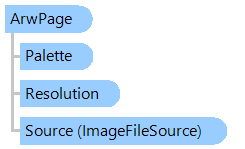
Represents a page of Sony ARW-file.
SDK uses LibRaw library for getting RAW image from ARW-file - please specify path to a LibRaw library using the LibRawPath property.
Here is an example that shows how to open Sony ARW-file, get RAW-image from ARW-file and save image to a PNG-file:
''' <summary>
''' Opens Sony ARW-file, gets RAW-image from ARW-file and saves image to a PNG-file.
''' </summary>
''' <param name="arwFilename">The name of ARW-file.</param>
Public Sub RenderAndSaveArwImage(arwFilename As String)
    ' set path to the "libraw.dll" file - VintaSoft Imaging .NET SDK uses LibRaw for parsing Sony ARW-file
    Vintasoft.Imaging.RawCodec.LibRawHelper.LibRawPath = System.IO.Path.Combine(System.IO.Path.GetDirectoryName(Assembly.GetExecutingAssembly().Location), "libraw.dll")

    ' open ARW-file stream
    Using fs As New System.IO.FileStream(arwFilename, System.IO.FileMode.Open, System.IO.FileAccess.Read)
        ' open ARW-file
        Dim rawImageFile As New Vintasoft.Imaging.Codecs.ImageFiles.Raw.RawImageFile(fs)
        ' get ARW-page
        Dim arwPage As Vintasoft.Imaging.Codecs.ImageFiles.Raw.ArwPage = TryCast(rawImageFile.Page, Vintasoft.Imaging.Codecs.ImageFiles.Raw.ArwPage)
        ' if ARW-page is found in RAW-file
        If arwPage IsNot Nothing Then
            ' get RAW-image as 48-bpp RGB image
            Using rawImage As Vintasoft.Imaging.VintasoftImage = arwPage.GetImage()
                ' save 48-bpp RGB image to a PNG file
                rawImage.Save(arwFilename & ".png")
            End Using
        End If
    End Using
End Sub
/// <summary>
/// Opens Sony ARW-file, gets RAW-image from ARW-file and saves image to a PNG-file.
/// </summary>
/// <param name="arwFilename">The name of ARW-file.</param>
public void RenderAndSaveArwImage(string arwFilename)
{
    // set path to the "libraw.dll" file - VintaSoft Imaging .NET SDK uses LibRaw for parsing Sony ARW-file
    Vintasoft.Imaging.RawCodec.LibRawHelper.LibRawPath =
        System.IO.Path.Combine(System.IO.Path.GetDirectoryName(Assembly.GetExecutingAssembly().Location), "libraw.dll");

    // open ARW-file stream
    using (System.IO.FileStream fs = new System.IO.FileStream(arwFilename, System.IO.FileMode.Open, System.IO.FileAccess.Read))
    {
        // open ARW-file
        Vintasoft.Imaging.Codecs.ImageFiles.Raw.RawImageFile rawImageFile =
            new Vintasoft.Imaging.Codecs.ImageFiles.Raw.RawImageFile(fs);
        // get ARW-page
        Vintasoft.Imaging.Codecs.ImageFiles.Raw.ArwPage arwPage =
            rawImageFile.Page as Vintasoft.Imaging.Codecs.ImageFiles.Raw.ArwPage;
        // if ARW-page is found in RAW-file
        if (arwPage != null)
        {
            // get RAW-image as 48-bpp RGB image
            using (Vintasoft.Imaging.VintasoftImage rawImage = arwPage.GetImage())
            {
                // save 48-bpp RGB image to a PNG file
                rawImage.Save(arwFilename + ".png");
            }
        }
    }
}
Target Platforms: .NET 10; .NET 9; .NET 8; .NET 7; .NET 6; .NET Framework 4.8, 4.7, 4.6, 4.5, 4.0, 3.5