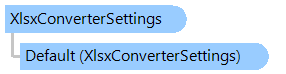
XlsxConverterSettings Class
In This Topic
Provides settings for XLSX converter.
Object Model
Syntax
'Declaration

Public Class XlsxConverterSettings
public class XlsxConverterSettings
public __gc class XlsxConverterSettings
public ref class XlsxConverterSettings
Example
This C#/VB.NET code shows how to convert CSV document to a PDF document.
''' <summary>
''' Converts CSV file to a PDF file.
''' </summary>
''' <param name="csvFilePath">Path to a source CSV file.</param>
''' <param name="pdfFilePath">Path to a result PDF file.</param>
Public Shared Sub ConvertCsvToPdf(csvFilePath As String, pdfFilePath As String)
    Vintasoft.Imaging.Codecs.Decoders.XlsxConverterSettings.[Default].ColumnAutoFit = True
    Vintasoft.Imaging.Codecs.Decoders.XlsxConverterSettings.[Default].ColumnMinWidth = 1
    Vintasoft.Imaging.Codecs.Decoders.XlsxConverterSettings.[Default].ColumnMaxWidth = 100

    Using images As New Vintasoft.Imaging.ImageCollection()
        images.Add(csvFilePath)
        Try
            images.SaveSync(pdfFilePath)
        Finally
            images.ClearAndDisposeItems()
        End Try
    End Using
End Sub
/// <summary>
/// Converts CSV file to a PDF file.
/// </summary>
/// <param name="csvFilePath">Path to a source CSV file.</param>
/// <param name="pdfFilePath">Path to a result PDF file.</param>
public static void ConvertCsvToPdf(string csvFilePath, string pdfFilePath)
{
    Vintasoft.Imaging.Codecs.Decoders.XlsxConverterSettings.Default.ColumnAutoFit = true;
    Vintasoft.Imaging.Codecs.Decoders.XlsxConverterSettings.Default.ColumnMinWidth = 1;
    Vintasoft.Imaging.Codecs.Decoders.XlsxConverterSettings.Default.ColumnMaxWidth = 100;

    using (Vintasoft.Imaging.ImageCollection images = new Vintasoft.Imaging.ImageCollection())
    {
        images.Add(csvFilePath);
        try
        {
            images.SaveSync(pdfFilePath);
        }
        finally
        {
            images.ClearAndDisposeItems();
        }
    }
}
Inheritance Hierarchy
System.Object
Vintasoft.Imaging.Codecs.Decoders.XlsxConverterSettings
Requirements
Target Platforms: .NET 10; .NET 9; .NET 8; .NET 7; .NET 6; .NET Framework 4.8, 4.7, 4.6, 4.5, 4.0, 3.5
See Also