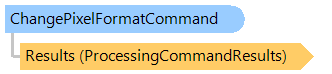
ChangePixelFormatCommand Class
In This Topic
Converts an image to different pixel formats.
Object Model
Syntax
Example
Here is an example that shows how to load an image from disk, convert the image to the specified pixel format and save the result to a new image file:
Class ChangePixelFormatCommandExample
    Public Sub ProcessImage()
        ' [ do not forget to set your image file path here! ]
        ' create an image collection
        Using images As New Vintasoft.Imaging.ImageCollection()
            ' add image to the image collection
            images.Add("Flower.jpg")
            Try
                ' create the image processing command
                Dim command As New Vintasoft.Imaging.ImageProcessing.ChangePixelFormatCommand(Vintasoft.Imaging.PixelFormat.Indexed8)

                ' subscribe to progress event of image processing command
                AddHandler command.Progress, New System.EventHandler(Of Vintasoft.Imaging.ImageProcessing.ImageProcessingProgressEventArgs)(AddressOf command_Progress)

                Try
                    ' for each image in image collection
                    For Each image As Vintasoft.Imaging.VintasoftImage In images
                        ' apply the image processing command to the image
                        command.ExecuteInPlace(image)
                    Next
                Catch ex As Vintasoft.Imaging.ImageProcessing.ImageProcessingException
                    ' show error message
                    System.Windows.Forms.MessageBox.Show(ex.Message)
                    Return
                End Try

                ' save the processed image collection to a new TIFF file
                images.SaveSync("processed-image.tif")
            Finally
                images.ClearAndDisposeItems()
            End Try
        End Using
    End Sub

    Private Sub command_Progress(sender As Object, e As Vintasoft.Imaging.ImageProcessing.ImageProcessingProgressEventArgs)
        ' update progress info using e.Progress property
        ' ...

        ' cancel execution of command using e.Cancel property if necessary
        ' ...
    End Sub
End Class
class ChangePixelFormatCommandExample
{
    public void ProcessImage()
    {
        // [ do not forget to set your image file path here! ]
        // create an image collection
        using (Vintasoft.Imaging.ImageCollection images = new Vintasoft.Imaging.ImageCollection())
        {
            // add image to the image collection
            images.Add("Flower.jpg");
            try
            {
                // create the image processing command
                Vintasoft.Imaging.ImageProcessing.ChangePixelFormatCommand command =
                    new Vintasoft.Imaging.ImageProcessing.ChangePixelFormatCommand(Vintasoft.Imaging.PixelFormat.Indexed8);

                // subscribe to progress event of image processing command
                command.Progress +=
                    new System.EventHandler<Vintasoft.Imaging.ImageProcessing.ImageProcessingProgressEventArgs>(command_Progress);

                try
                {
                    // for each image in image collection
                    foreach (Vintasoft.Imaging.VintasoftImage image in images)
                    {
                        // apply the image processing command to the image
                        command.ExecuteInPlace(image);
                    }
                }
                catch (Vintasoft.Imaging.ImageProcessing.ImageProcessingException ex)
                {
                    // show error message
                    System.Windows.Forms.MessageBox.Show(ex.Message);
                    return;
                }

                // save the processed image collection to a new TIFF file
                images.SaveSync("processed-image.tif");
            }
            finally
            {
                images.ClearAndDisposeItems();
            }
        }
    }

    void command_Progress(object sender, Vintasoft.Imaging.ImageProcessing.ImageProcessingProgressEventArgs e)
    {
        // update progress info using e.Progress property
        // ...

        // cancel execution of command using e.Cancel property if necessary
        // ...
    }
}
Inheritance Hierarchy
Requirements
Target Platforms: .NET 11; .NET 10; .NET 9; .NET 8; .NET 6; .NET Framework 4.8, 4.7, 4.6, 4.5, 4.0, 3.5
See Also